
 Trading Tools
ChartDeck PRO: MT4/MT5 Indicator Panel
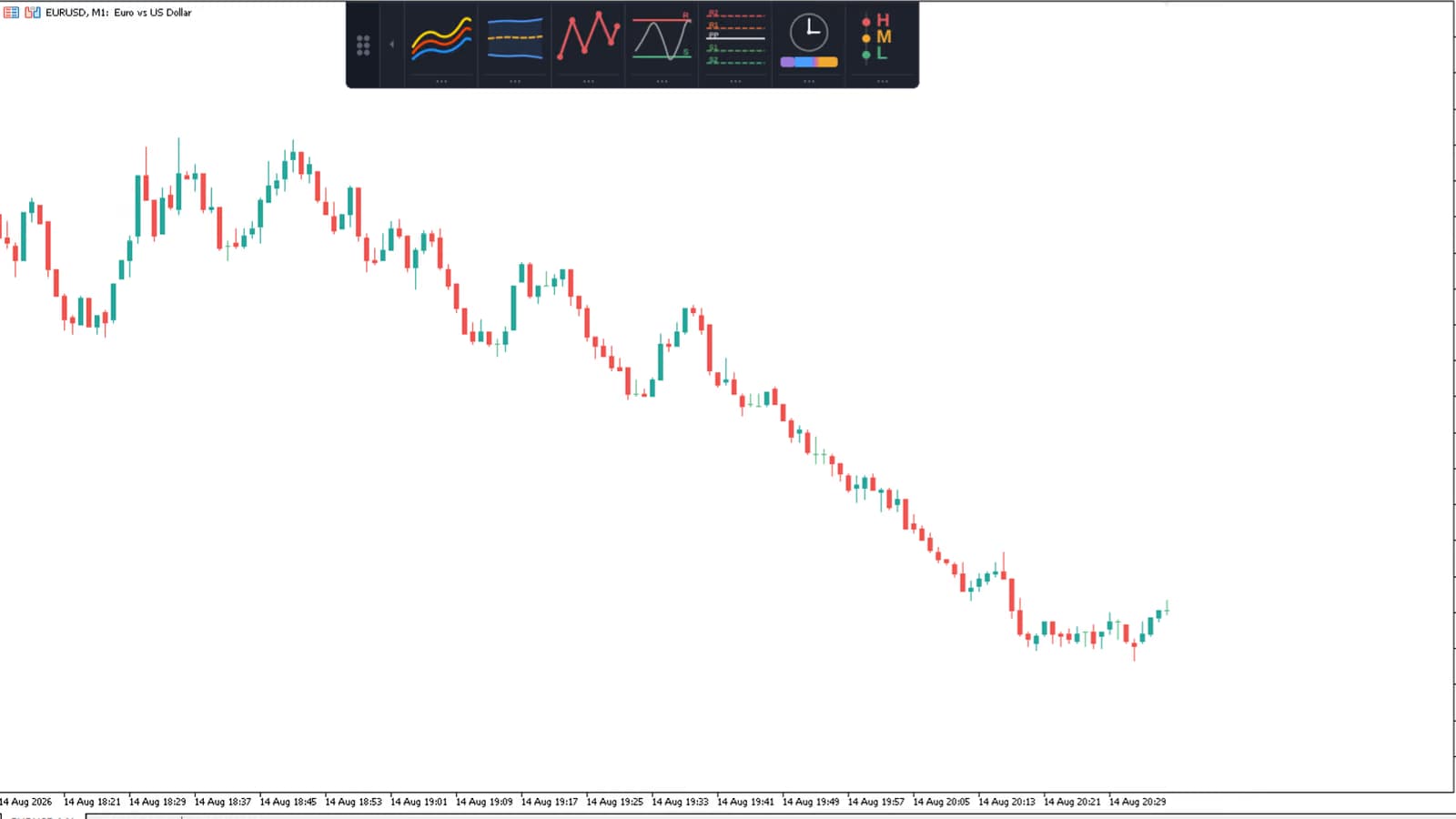
ChartDeck PRO docks seven MT4/MT5 chart tools (Triple MA, Bollinger Bands, ZigZag, S/R, Pivots, Sessions, Daily News) into one alert-ready panel.
Trendline PRO, a new MT5 Expert Advisor for visual traders — draw entry, breakout and close lines on the chart and let the EA execute them.

You already know where you want to trade. The problem is the click. You're away from the screen when price touches the level. You enter late, after the move. You forget to move the stop to breakeven. You trail inconsistently. You close the wrong size. Not because you don't know better. It's because manual execution under pressure is hard to do consistently, every single time. Trendline PRO is a new MT5 trendline EA that fixes the execution layer. You draw the setup on the chart. The EA monitors it and executes (or alerts you) when the condition is met.
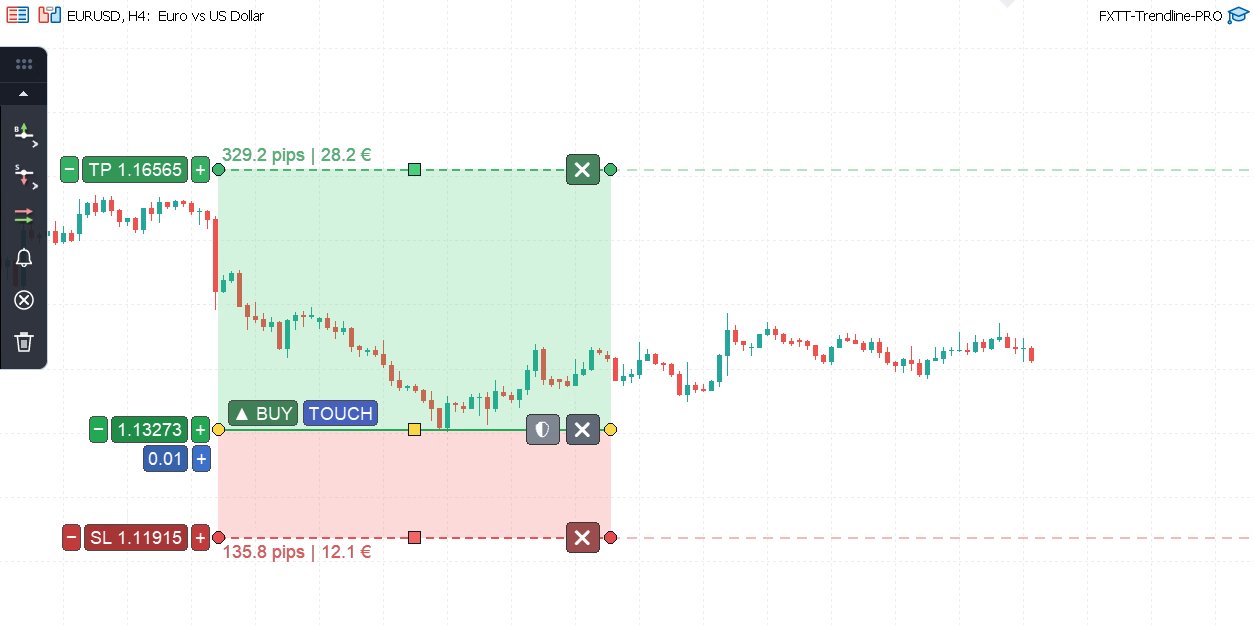
Trendline PRO MT5 trendline EA: buy entry with TP/SL zones, auto-breakeven protection, and chart panel on MetaTrader 5
It's a semi-automated MetaTrader 5 Expert Advisor for chart traders. You keep the analysis. The MT5 trendline EA handles execution. It doesn't tell you where to trade. It doesn't generate signals. It doesn't have a built-in strategy. It handles the execution layer: the part where most manual traders lose consistency. Trading is disabled by default. Nothing happens until you decide it should.
Add a line from the panel. Move it to where you want to act. Set your risk. Let the EA watch it. That's the core loop. Seven buttons on the chart panel cover the main line types: Add Buy Line opens an entry on an upward price cross, and Add Buy BO opens a buy breakout confirmed by a candle close above the line. Add Sell Line and Add Sell BO mirror those on the downside, an entry on a downward cross or a confirmed breakout below the line. Close All closes matching positions when price crosses, Set Alert monitors without placing trades, and Clear All Lines removes every assistant line from the chart.
Lines are interactive. You drag them. You resize the TP and SL zones by dragging the handles. You select a line to see its controls, and deselect to keep the chart clean.
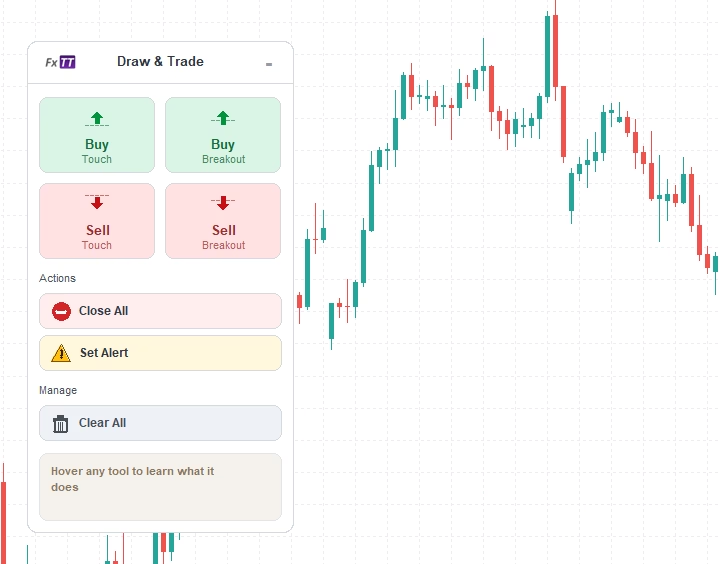
The Trendline PRO chart panel: add buy, sell, breakout, close, or alert lines in one click from the chart
An entry line makes two choices: which side it trades, and what counts as price getting there. Six trigger rules, each one available as a buy line or a sell line, plus a linked pair that watches both sides at once.
| On the chart | Trigger | What opens the trade |
|---|---|---|
| Buy lines | ||
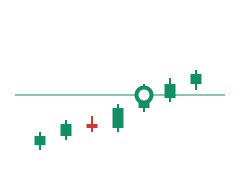 | Buy on touch | Mid-price crosses the line upward and the buy opens. Tick-based, no waiting for the candle to finish. |
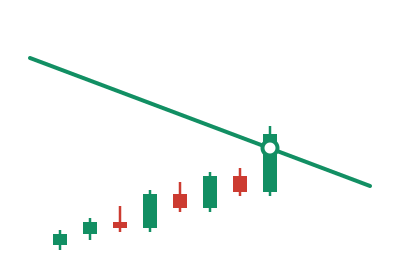
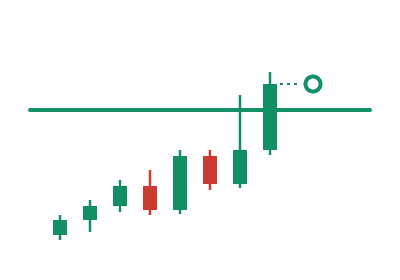
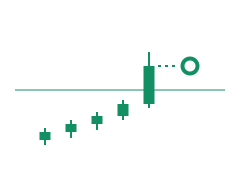 | Buy on breakout | The candle has to open below the line and close above it. A wick through the level opens nothing. An optional minimum distance in pips makes the close clear the line by a margin. |
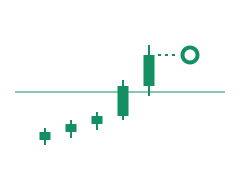 | Buy on full-bar breakout | Stricter than a plain breakout: open and close both have to sit above the line, which filters out bars that straddle it. |
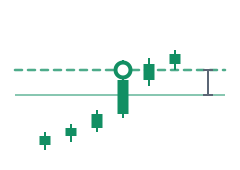 | Buy on distance breakout | No waiting for the close at all. Price has to run a set distance above the line, and the buy goes in the moment it does. |
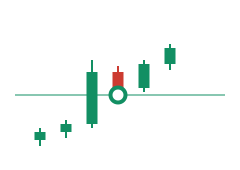 | Buy on pullback | A closed breakout above the line arms it. Within the next few candles (two by default) a wick back down to the line opens the buy; you can require that candle to close above the line instead. |
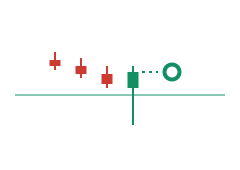 | Buy on false breakout | The candle opens and closes above the line, but its wick pierces below and comes back. The buy goes in at the close, once the level has held. |
| Sell lines | ||
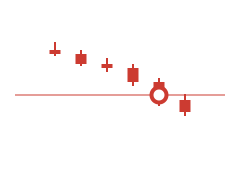 | Sell on touch | Price crosses the line downward and the sell opens, on the tick rather than the close. |
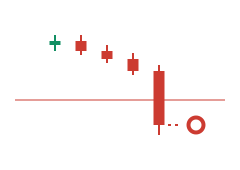 | Sell on breakout | The candle opens above the line and closes below it before the sell goes on. The same optional pip margin applies. |
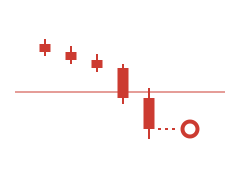 | Sell on full-bar breakout | Open and close both have to finish under the line, so a bar that only dips below it is ignored. |
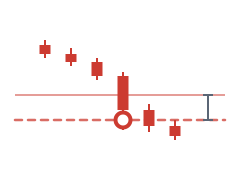 | Sell on distance breakout | Price has to run the set distance below the line, and the sell goes in intrabar, the moment the distance is covered. |
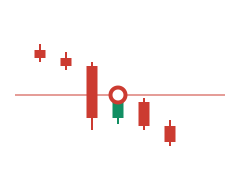 | Sell on pullback | Once a candle has closed below the line, a wick back up to it opens the sell inside the same window of candles. |
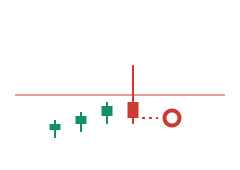 | Sell on false breakout | The candle opens and closes below the line while its wick spikes above it. The sell goes in at the close. |
| Both sides at once | ||
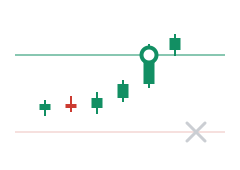 | OCO pair | A buy line above and a sell line below, linked. Whichever side triggers first opens the trade; the other line is removed automatically. |
The trigger is set per line, so a touch line and a full-bar breakout line can sit on the same chart. Any of them can run in alert mode instead: same logic, notification only, no order.
Standard entry lines trigger when price crosses. Fast, tick-based, good for levels where you trust a touch. Breakout lines wait for candle-body confirmation. A buy breakout only fires after a completed candle opens below the line and closes above it. A sell breakout does the opposite. Useful when you've been burned by wick touches that reverse immediately. You choose per line which behavior you want.
TP and SL aren't numbers you type into a box after entry. They're zones you see on the chart before the trade triggers. Green zone above the line for take-profit. Red zone below for stop-loss. Both show pip and money values. Both update in real time as you drag them into position. TP and SL zones can be sloped; they don't have to be flat levels. If your trade plan follows an angled structure, the zones follow it too. You set one endpoint, then the other, independently. You can see the risk/reward ratio before anything happens. That's the point.
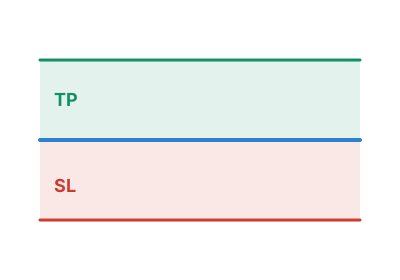
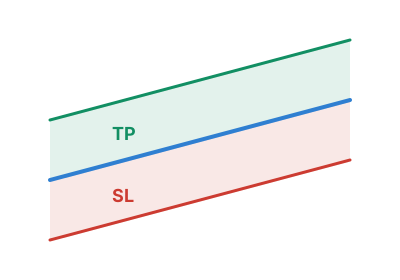
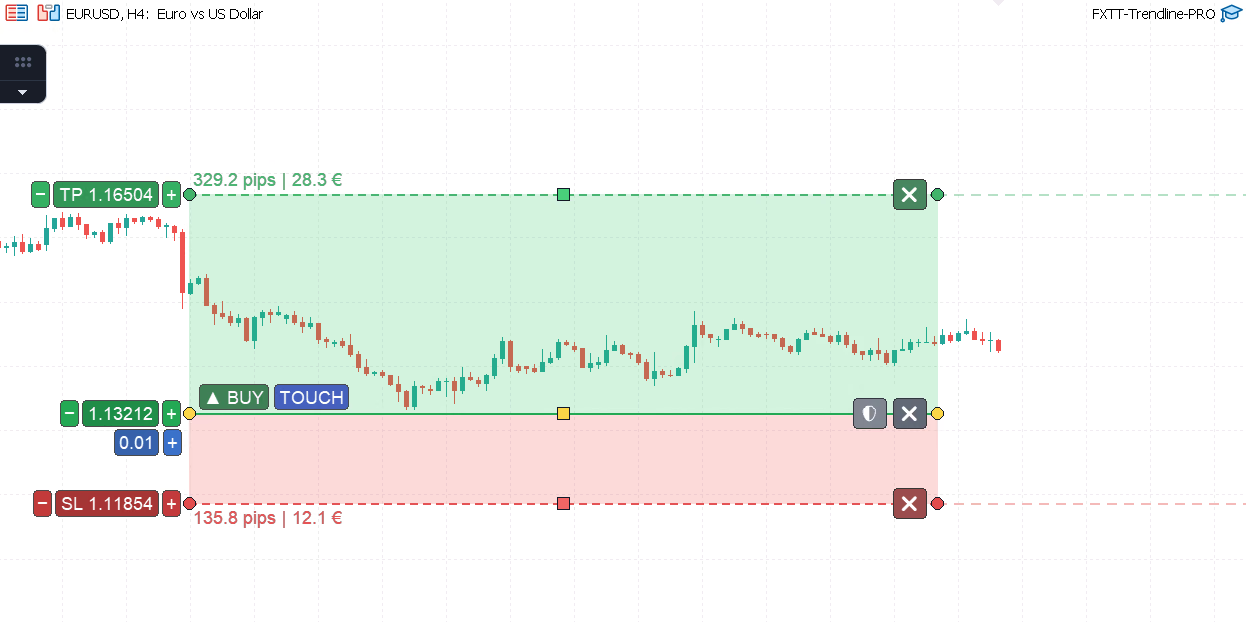
TP and SL zones with pip distance and money value labels: risk planning is visible on the chart before a trade triggers
Both are configured per line, before the trade triggers. Auto-breakeven shows as two lines on the chart: an orange trigger line and a dark-red lock-in line. You drag each to set the distances. When price reaches the trigger, the EA moves the stop. You set up the rule once; it executes without you. Trailing stop has four settings: enabled state, start distance, step, and trail distance. All defined in advance. The EA applies them after entry. No improvising. No "I'll move the stop when I remember to." The rule is already set.
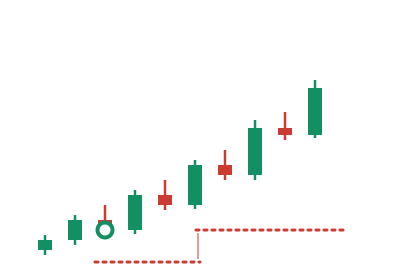
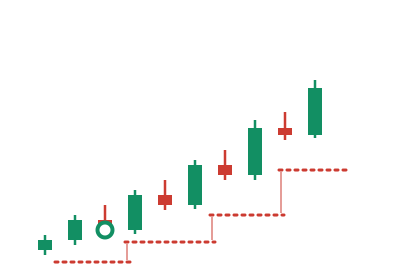
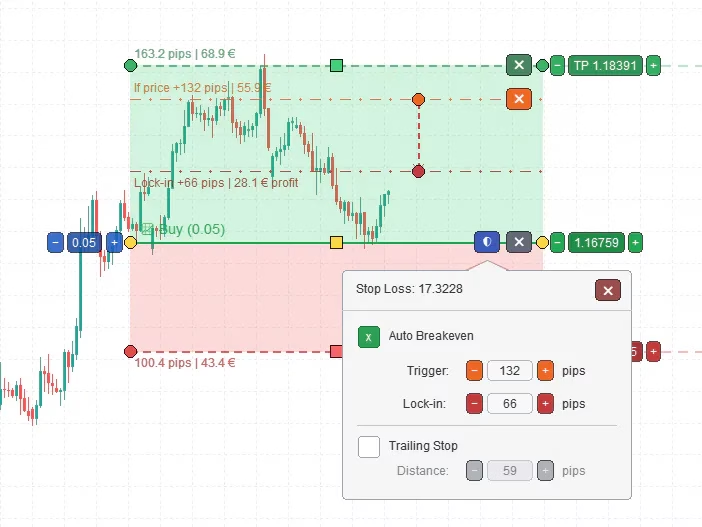
Auto-breakeven protection: orange trigger line and dark-red lock-in line, both draggable and visible on the chart before the trade opens
Close lines work like entry lines, but for exits. Add a close line at a price level. When price crosses it, the EA closes matching positions. You choose the volume: all positions, or a specific partial size. Partial close volume follows symbol volume rules: minimum, maximum, and step. The line badge shows what will happen, either "Close All" or "Close (0.05)", so there's no ambiguity. Plan your exit the same way you plan your entry: visually, before the fact.
Not ready to let the EA trade yet? Use alert lines instead. Same line logic, no orders placed. You get notified when price reaches the level; you decide what to do next. Start with alerts on every setup. Watch how the EA monitors price. Enable trading only when you trust what you've seen.
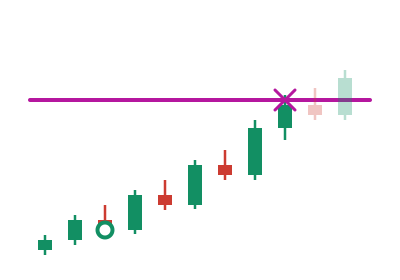
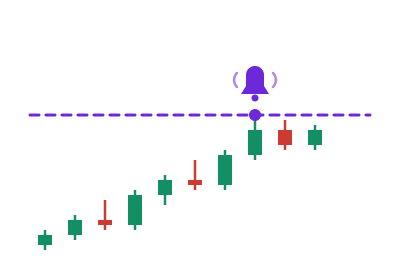
Before placing any order, this MT5 trendline EA checks:
If any check fails, no order is placed. Trading also requires MT5 Algo Trading to be enabled: the EA won't act if MetaTrader's own execution switch is off. Magic number support keeps Trendline PRO trades separate from other EAs on the same account.
It does not generate signals. It does not know where price will go. It does not have a built-in edge. It's a rules-only tool, not a black-box system or a set-and-forget robot. Every rule you use came from you. It does not work on MT4. This is an MT5-only Expert Advisor.
Discretionary traders who use trendlines, support and resistance, or breakout levels on MT5 charts. Traders who miss entries when they're away from the screen. Traders who execute manually but not consistently. If you already know what setup you want, this MT5 trendline EA handles the when and how.
Traders looking for signals. Traders who want a hands-off system that finds trades independently. Traders not on MT5. Traders who want guaranteed results from a tool. If you're looking for something to tell you what to trade, this isn't it.
Trendline PRO is available now on the FxTT product page. Attach it to a chart, add a line, and test with alerts disabled and trading off. See how it monitors price. Watch how the zones work. Then decide if you want to enable execution. The setup guide covers installation, inputs, and first use. Test on demo before live. If you already use the original Trendline EA, Trendline PRO is a separate product: new architecture, fully MT5 native, canvas-rendered. Buying direct gets you a 30-day refund window and 12 months of direct support — see our buy direct vs MQL5 Market comparison if you are deciding between the two purchase routes.
Trading forex and CFDs involves risk. Trendline PRO automates rules you configure; it does not provide financial advice, signals, or guaranteed results. Test on a demo account before using on a live account.
Trading ToolsChartDeck PRO docks seven MT4/MT5 chart tools (Triple MA, Bollinger Bands, ZigZag, S/R, Pivots, Sessions, Daily News) into one alert-ready panel.
 Trading Tools
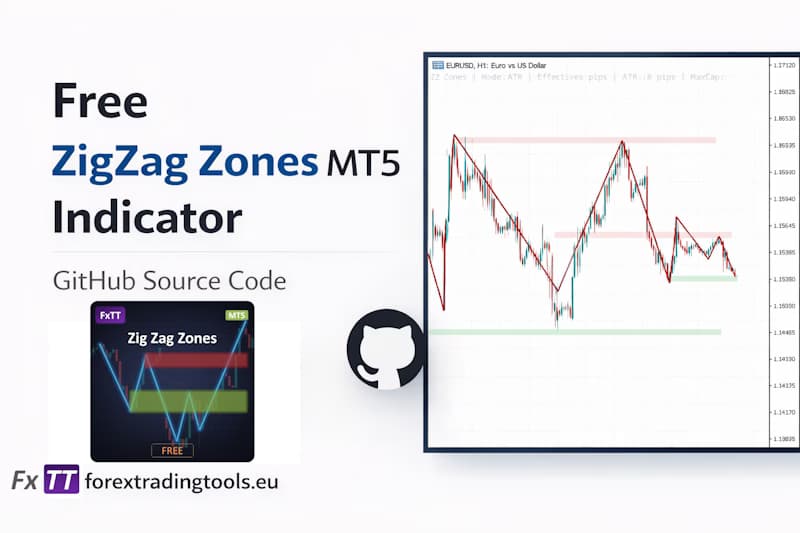
Draw MT5 support and resistance zones automatically from ZigZag pivot clusters — free open-source MQL5 indicator with ATR-adaptive sizing.
 Trading Tools
If you use MetaTrader, you know the struggle. You run a backtest. You export the report. What you get is a messy HTML file that looks like it was designed in…