
MTF Triple MA MT5
Multi-Timeframe Moving Average Overlay
Download MTF Triple MA MT5, a free open-source indicator for MetaTrader 5. Overlay triple moving averages from up to 9 timeframes on one chart, spot MA confluence faster, and improve multi-timeframe trend analysis without switching chart periods.
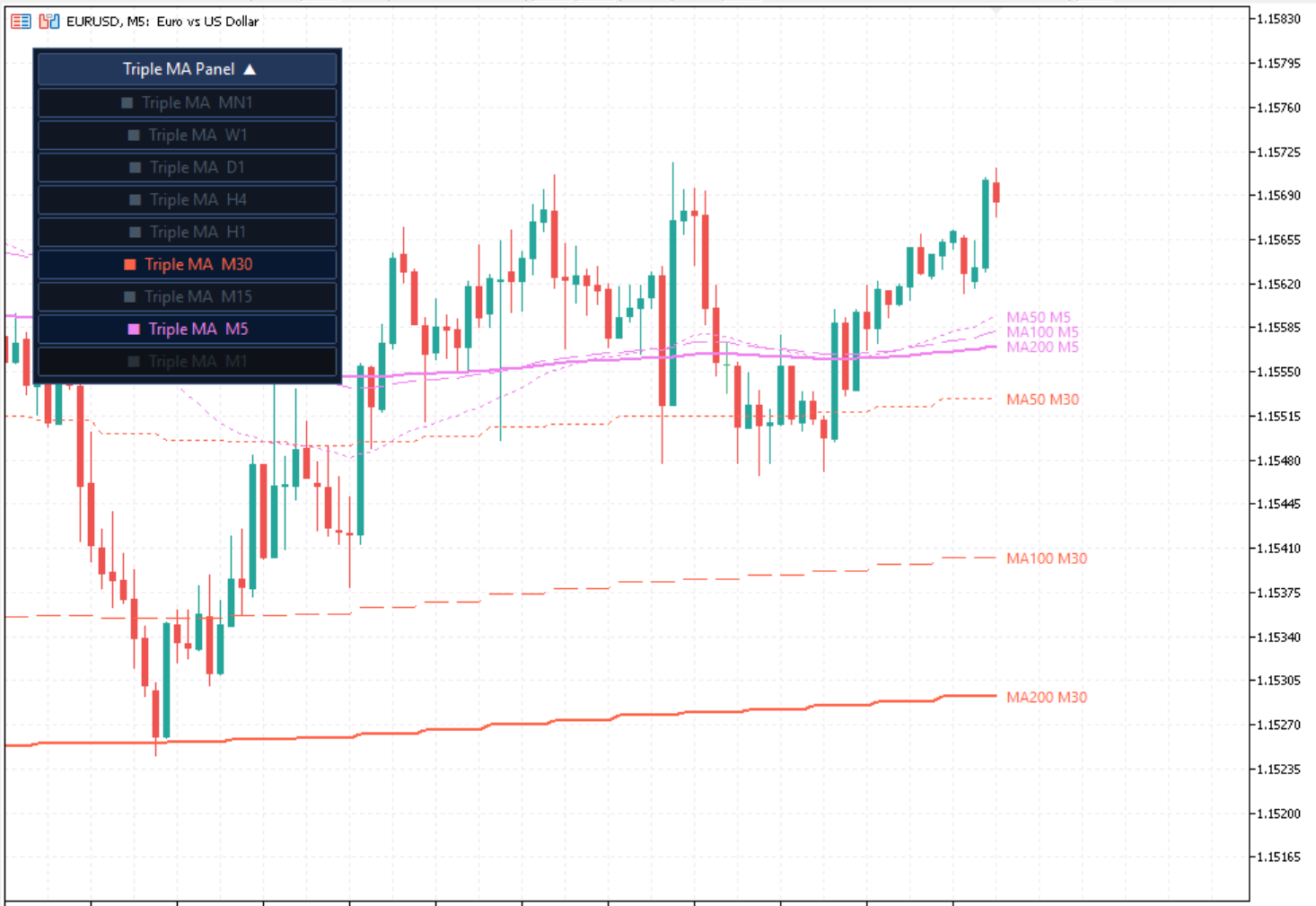
MTF Triple MA MT5 is a free, open-source MetaTrader 5 indicator that projects triple moving averages from multiple timeframes onto one chart, so you can evaluate structure, momentum, and confluence without changing chart windows.
When traders move between lower-timeframe execution and higher-timeframe trend confirmation, context is often lost. This indicator keeps that context visible by overlaying selected moving average sets from higher periods directly on your active chart. Instead of flipping between M15, H1, H4, and D1 repeatedly, you can stay focused on one execution chart and still make decisions with full directional awareness.
The indicator is built to remain readable during live market conditions. On-chart controls reduce clicks, timeframe filtering prevents clutter, and the layout makes it easier to compare structure quickly when volatility increases. This is particularly useful for scalpers and intraday traders who need higher-timeframe confirmation without sacrificing execution speed.
Because the project is open source, advanced users can inspect implementation details, review calculation logic, and adapt behavior to strategy-specific needs. Developers can also propose improvements through the repository, making long-term maintenance and transparency much stronger than closed tools.
Use moving averages for context, not as standalone entry triggers. Start with higher-timeframe direction, then move to the execution chart when structure aligns. Keep MA periods unchanged long enough to collect useful results. Do not change parameters after a small sample of trades.
Key Features
- 9 Timeframes on One ChartView moving averages from M1 through MN1 simultaneously on any single chart without switching windows or losing context.
- Three MAs Per TimeframeFast, Medium, and Slow moving averages per timeframe let you map trend phases and identify momentum shifts across the full structure.
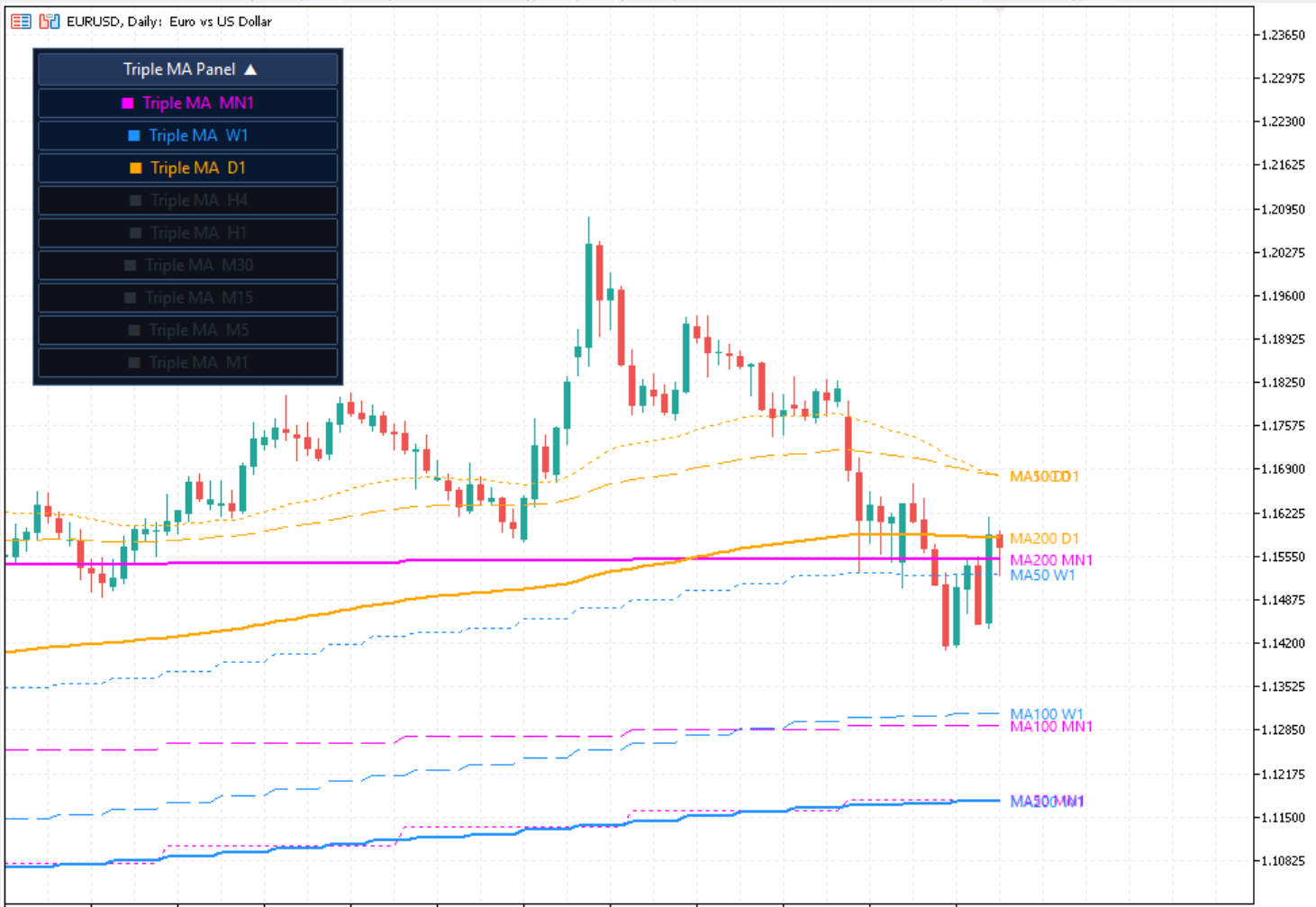
- Draggable On-Chart Control PanelToggle individual timeframes on or off directly from the interactive panel — no need to reopen the settings window during live trading.
- Automatic Lower-Timeframe FilteringTimeframes below your active chart period are automatically disabled and greyed out in the panel, keeping the display clean and relevant.
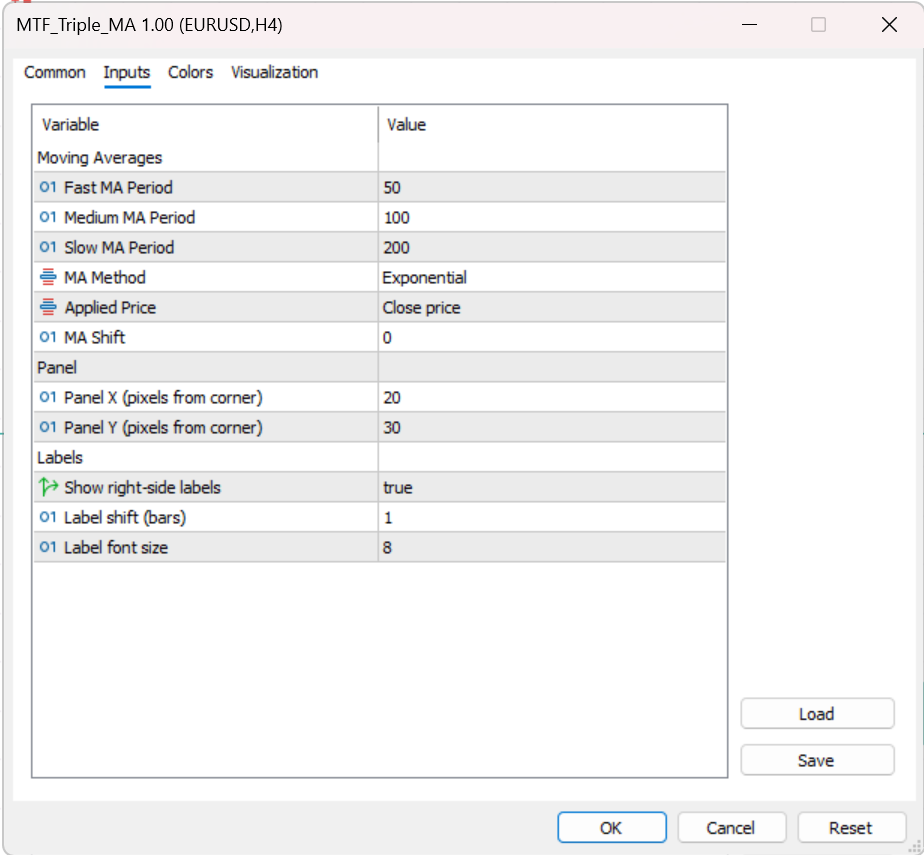
- Flexible MA CustomisationChoose from SMA, EMA, SMMA, or LWMA methods with configurable periods (default 50/100/200), applied price, shift, line style, width, and colour.
- Confluence Zone DetectionSpot areas where multiple moving averages from different timeframes cluster together — zones where price often reacts with higher probability setups.
- Universal Instrument CompatibilityWorks on any symbol your MT5 broker provides — forex, indices, metals, crypto, commodities, and stocks — with no instrument-specific configuration needed.
- Open Source on GitHubFull source code is publicly available. Inspect the implementation, report issues, or contribute improvements through the GitHub repository.
- Performance OptimisedRecalculates only on new bar opens, not every tick. All nine timeframes can run simultaneously without impacting live trading performance.
- Right-Side MA LabelsOptional labels on the chart's right edge identify each moving average line instantly without hovering, reducing visual confusion during fast markets.
Screenshots
Write a Review
Frequently Asked Questions
- Adding three standard MT5 Moving Average indicators only gives you three MAs for the current chart timeframe. The MTF Triple MA calculates and projects Fast, Medium, and Slow MAs from up to nine different timeframes simultaneously on the same chart. That means you can see, for example, the D1 and H4 MAs while trading on an M15 chart — without opening multiple chart windows or constantly switching timeframes.
- The indicator is optimised for performance. It uses MT5's native multi-timeframe data requests and only recalculates when a new bar opens on an enabled timeframe, not on every tick. With all nine timeframes active, you may notice a brief calculation on the very first load, but live trading performance is not affected.
- No. The MA Method and Applied Price settings are shared across all three MAs. If you need mixed methods on the same chart — for example, an EMA for the Fast and an SMA for the Slow — you can attach a second instance of the indicator with different method settings and disable the lines you do not need from each instance.
- The defaults (Fast: 50, Medium: 100, Slow: 200) are a widely used combination for trend-following on most timeframes. If you follow a specific MA-based system (e.g. 10/20/50 or 8/21/55 EMA ribbons), simply adjust the three period inputs to match your preferred setup.
- Yes. The indicator is entirely symbol-agnostic — it works on any instrument your MT5 broker provides, including indices (US30, NAS100, DE40), commodities (XAUUSD, XAGUSD), cryptocurrencies (BTCUSD, ETHUSD), and stocks. The MA calculations are based on price data only, not instrument type.
- Yes. You can attach the indicator more than once to the same chart, each with a different configuration — for example, one instance using 50/100/200 EMAs and another using 10/20/50 SMAs. Use the input name field to label each instance so they are easy to distinguish in the Indicators List.
- The panel position is saved within your MT5 chart profile or template. If you save the chart as a template after positioning the panel, it will reopen in the same location. If you close the chart without saving, the panel will revert to the default position set by the Panel X / Panel Y inputs.
- The indicator renders correctly in the MT5 visual backtesting mode (Strategy Tester → Visual Mode). This lets you scroll through historical price data and observe how the multi-timeframe MAs would have appeared in real time, which is useful for manually evaluating setups and refining your MA settings before live use.
- Settings are not stored inside the indicator file itself — they live in your MT5 templates and profiles. Replacing the .ex5 file with a new version does not delete your saved settings. After updating, re-attach the indicator from your saved template and all your custom periods, colours, and timeframe preferences will be restored.
Setup Guide
Download and extract
Click the download button and save the .zip file to your desktop or downloads folder. Right-click the zip and select Extract All — you will find a FxTT_MTF_TripleMA.ex5 file inside.Copy to MT5 Indicators folder
In MetaTrader 5, open File → Open Data Folder. Navigate to MQL5 → Indicators and paste the .ex5 file there.Refresh the Navigator
Back in MT5, press Ctrl+N to open the Navigator panel. Right-click Indicators and select Refresh to make the new file appear.Attach to a chart
Double-click the indicator in the Navigator or drag it onto any chart to attach it. The on-chart control panel will appear immediately.Enable timeframes from the panel
Use the draggable control panel to toggle the timeframes you want to display. Timeframes below the current chart period are automatically greyed out.Save as a template
Once configured, right-click the chart and choose Template → Save Template with a descriptive name. Apply it to any new chart instantly to restore all your settings.
Changelog
- Initial release.
- 9 timeframes (M1–MN1) displayed simultaneously on one chart
- Three MAs per timeframe: Fast, Medium, and Slow
- Draggable control panel with one-click timeframe toggles
- Automatic lower-timeframe filtering
- Full MA customisation: period, shift, method (SMA/EMA/SMMA/LWMA), applied price, line style, width, and colour
- No repainting on closed bars
More Free Tools
Free tools are analysis aids and utilities. They do not guarantee trading results. Always test in a demo account before applying to live markets.