Equity Tracker MT5
Telegram & Discord Trade Alerts
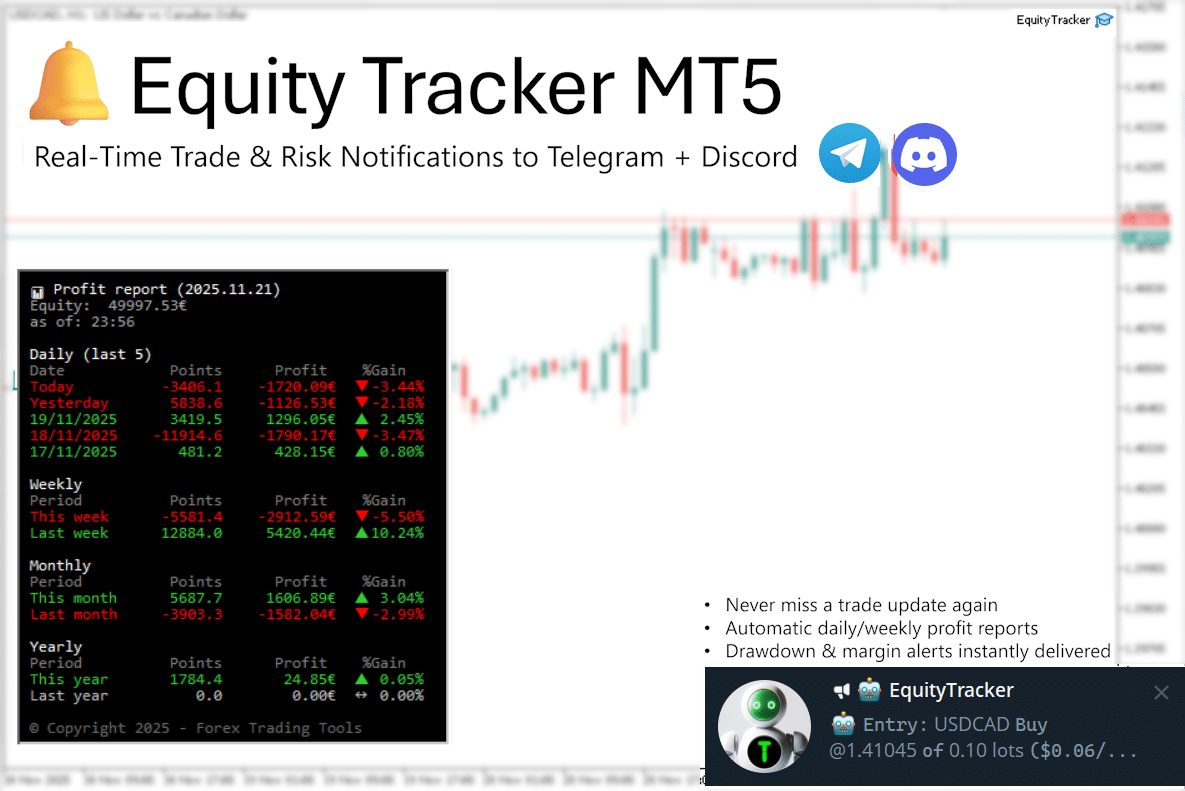
Equity Tracker MT5 sends real-time MT5 Telegram alerts and Discord notifications for every trade, drawdown, and risk event on your MetaTrader 5 account — automatically, 24/7. Stay in full control from anywhere without opening MT5. 100% monitoring only — never opens, closes, or manages trades.
Get Started
One-time license · MT5 · 12 months of updates and support · 60-day money-back guarantee
60-day guaranteeWhy Traders Choose Equity Tracker MT5
- Instant MT5 Telegram alerts for trade opens, closes, and SL/TP modifications
- Detect VPS crashes or terminal freezes with the built-in Heartbeat monitor
- Monitor all EAs and manual trades from a single chart attachment
- Lightweight, fast, and compatible with any trading system or prop firm
Stop checking charts manually
Most traders lose track of their accounts the moment they step away from the screen. Equity Tracker runs silently in MT5 and sends alerts when your account needs attention.
| Without Equity Tracker | With Equity Tracker |
|---|---|
| Check charts manually every few hours | Instant Telegram push when equity threshold hit |
| Miss drawdown events while away from desk | 24/7 monitoring — alerts even on mobile |
| No structured log of account events | Timestamped alert history in Telegram |
| Switch between multiple MT5 accounts | Monitor several accounts from one EA |
How it works
One chart attachment. Full account visibility.
Attach
Attach to any MT5 chart. Symbol and timeframe do not matter — Equity Tracker monitors the entire account from one chart.
Configure
Set your Telegram bot token or Discord webhook. Define drawdown thresholds, profit targets, and scheduled report times.
Monitor
Alerts fire in real time. Heartbeats confirm your VPS is online. Profit reports arrive on your chosen schedule.
Why Equity Tracker MT5
Instant Trade Alerts
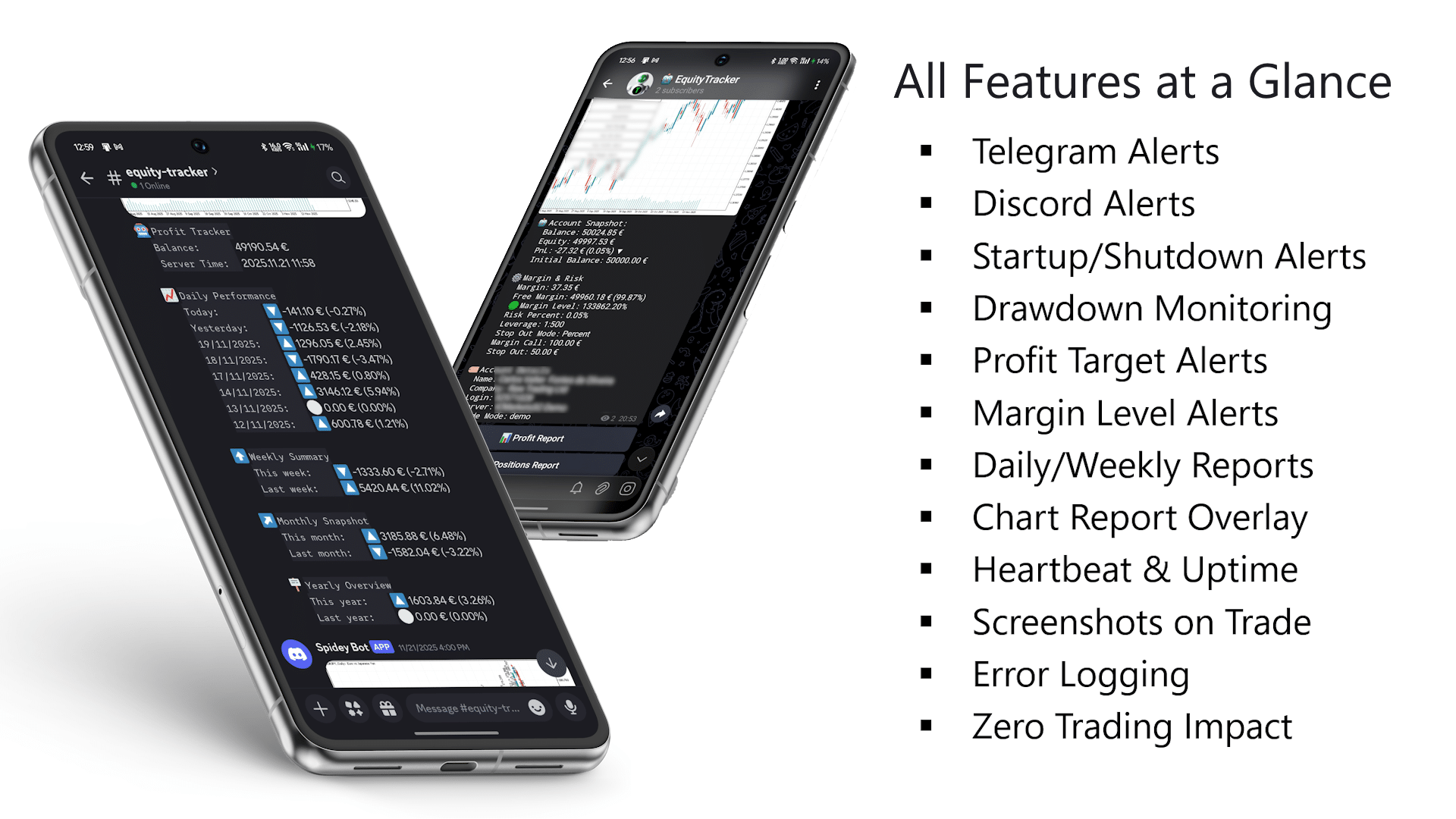
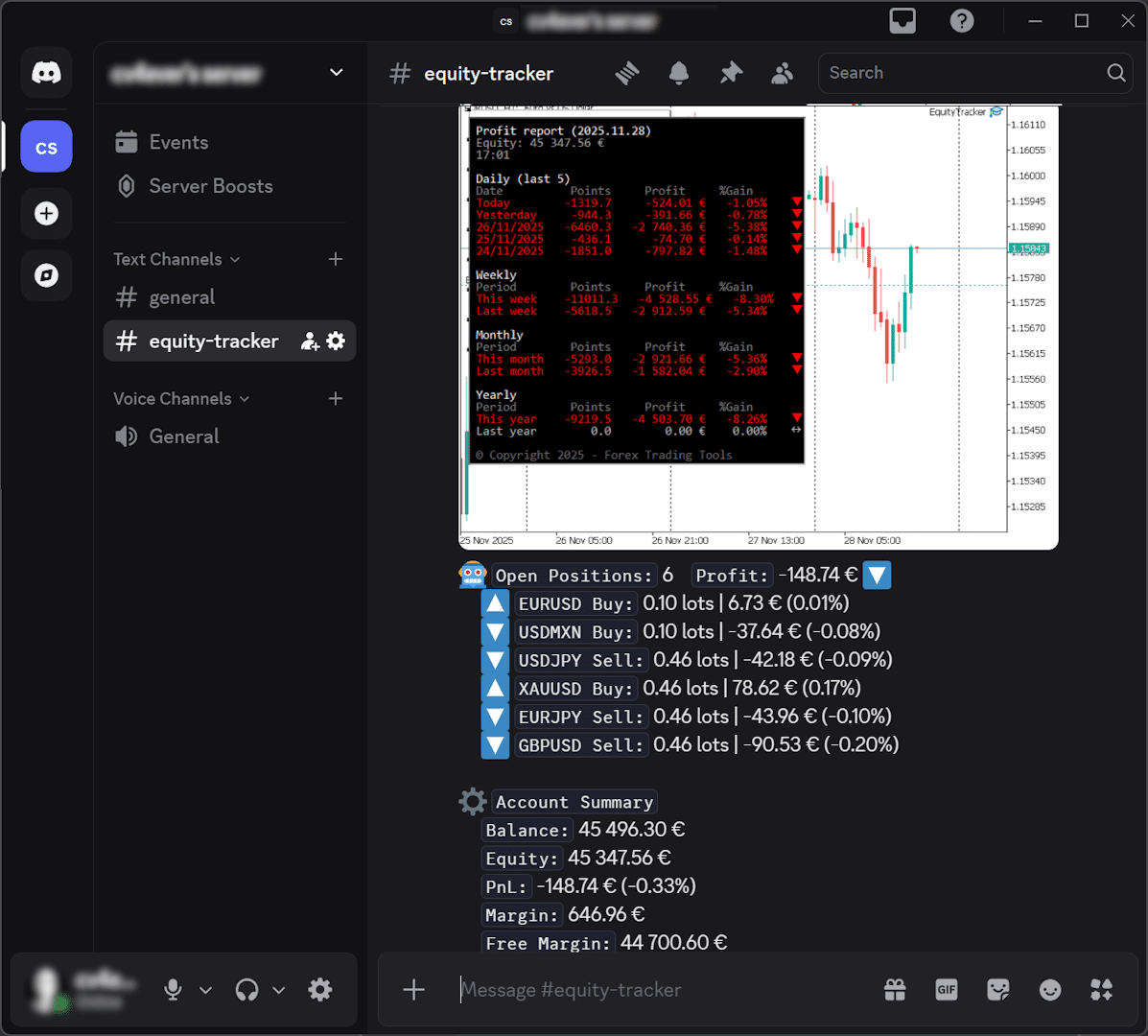
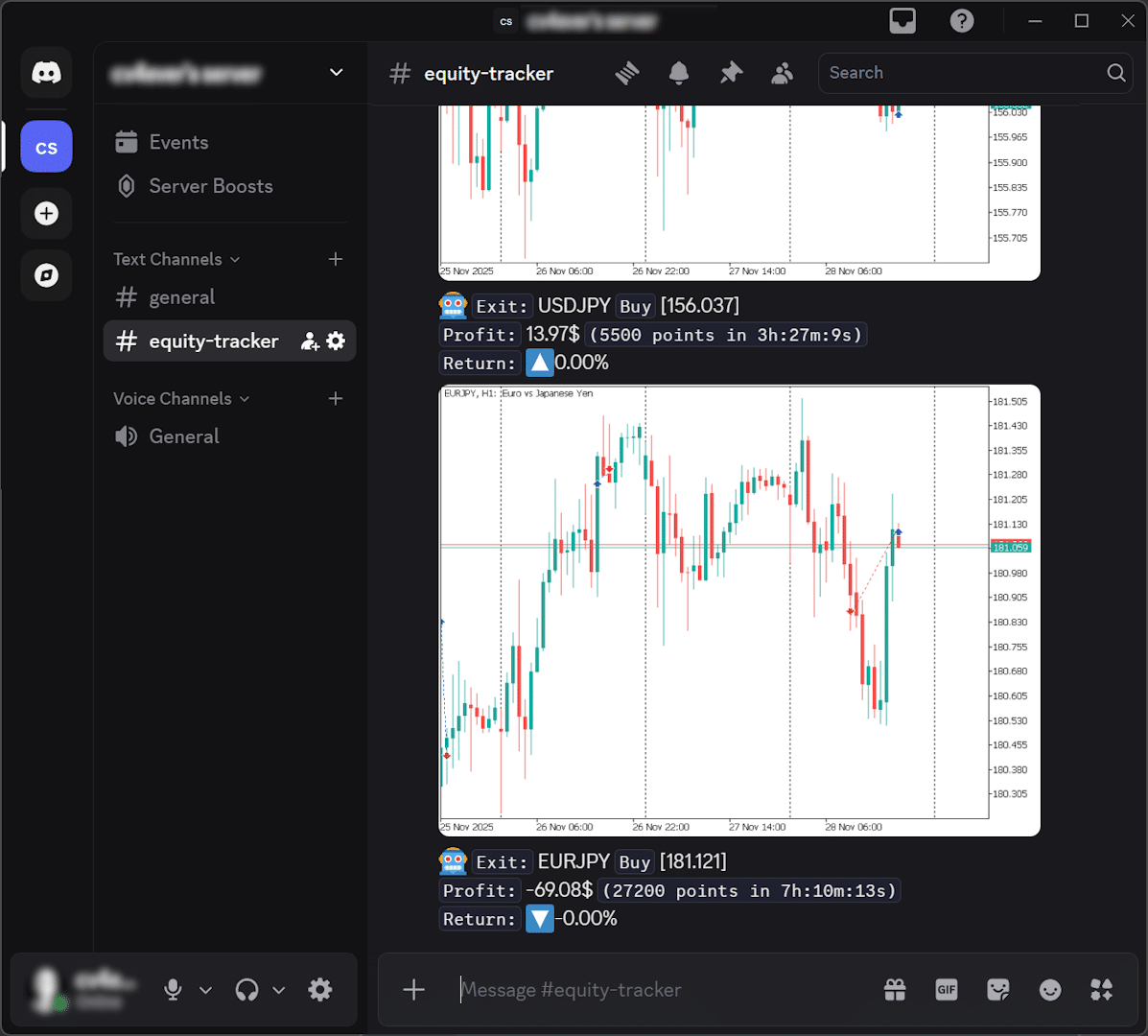
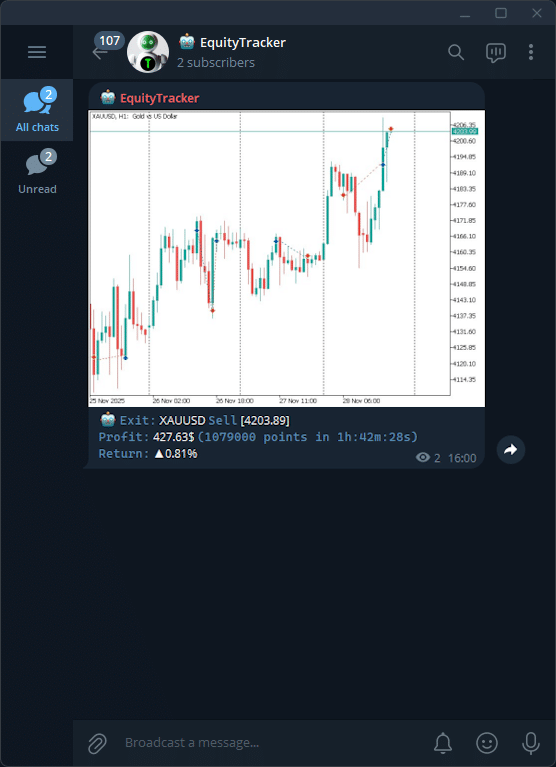
Every trade open, close, and SL/TP modification fires to Telegram or Discord in real time — including optional chart screenshots.
Drawdown & Risk Watchdog
Configurable equity-drop and margin-level thresholds warn you before daily loss limits or margin calls are breached.
Heartbeat Monitor
Periodic 'I'm alive' messages confirm your VPS is online. If heartbeats stop, you instantly know MT5 froze or lost connectivity.
On-Demand Reports
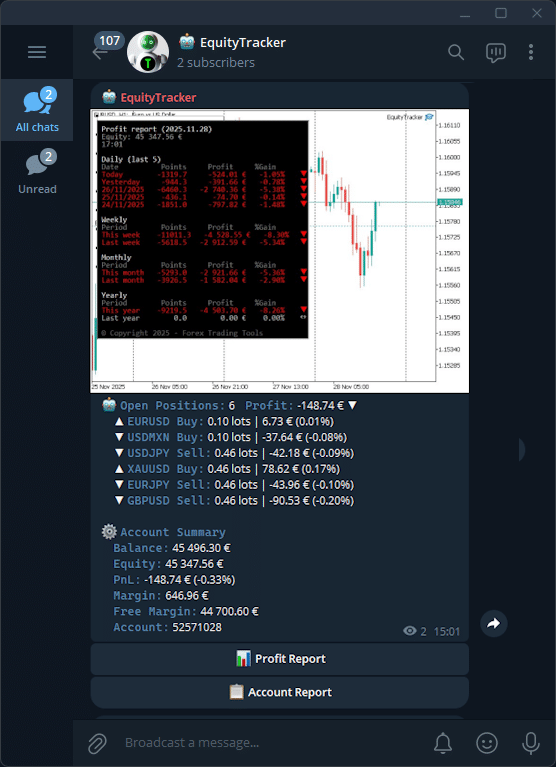
Tap Telegram inline buttons for live profit reports, account status, and open positions on demand — from anywhere.
Perfect for Prop Firm Traders
- Daily Drawdown Alerts:Get warned before violating your maximum daily loss rules. Set the threshold below the broker's limit for advance warning.
- Profit Target Pings:Know the exact moment you pass Phase 1 or Phase 2 — celebrate without watching the screen.
- Risk Watchdog:Ensure your EAs respect stop losses, lot sizes, and prop-firm risk parameters across all open trades.
Telegram & Discord — Multi-Channel Alerts
Telegram + Discord
Send alerts to Telegram, Discord, or both simultaneously — configure multiple channels in the EA inputs.
Visual Context
Optionally attach chart screenshots to trade and risk events so you see the exact market context without opening MT5.
Manual Commands
Tap Telegram inline buttons to pull live profit reports, account status, and open positions on demand at any time.
Instant Delivery
Messages are dispatched in real time via native MT5 WebRequest — no polling delay, no third-party middleware.
Risk & Safety Monitoring
Custom Drawdown Alerts
Set any equity-drop percentage to trigger a notification. Protect challenges and live accounts with configurable early warnings.
Margin Warnings
Stay protected when free margin approaches critical levels — receive alerts before a margin call becomes a problem.
Heartbeat Monitor
Receive periodic 'I'm Alive' messages confirming your VPS is online. If heartbeats stop, you instantly know MT5 froze or crashed.
External Uptime Ping
Optionally ping an external URL on each heartbeat so third-party uptime monitors like UptimeRobot stay in sync.
Automated Profit Reports
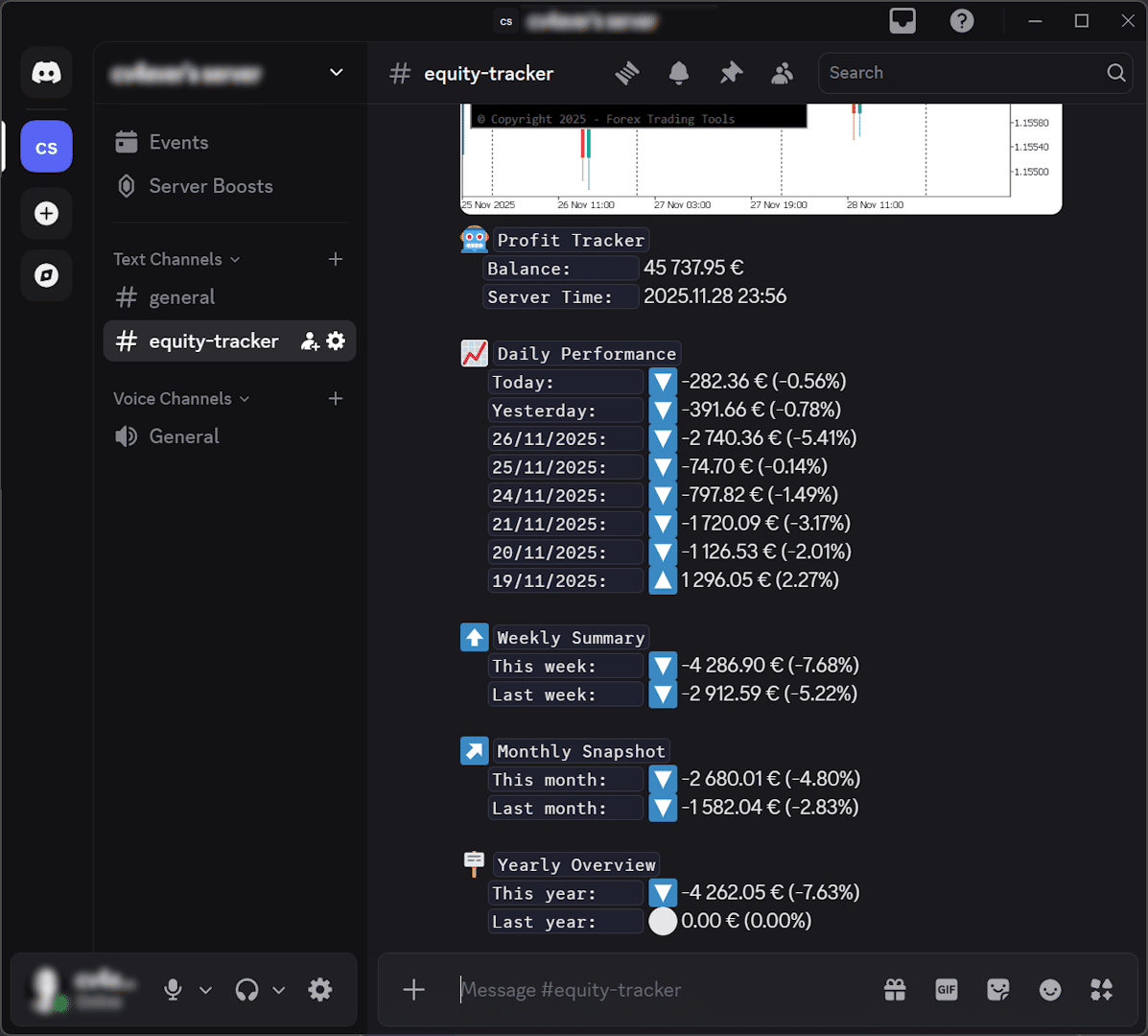
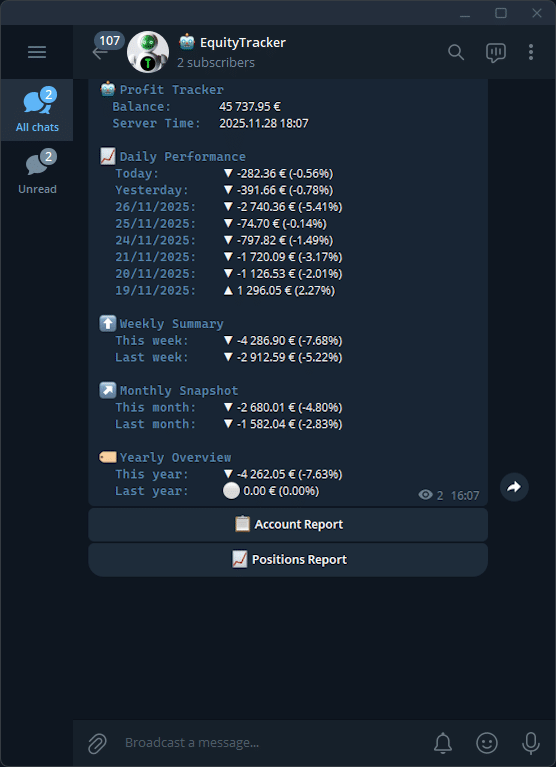
- Hourly / Daily / Weekly:Receive scheduled PnL summaries to Telegram or Discord automatically at the times you choose — including chart screenshots.
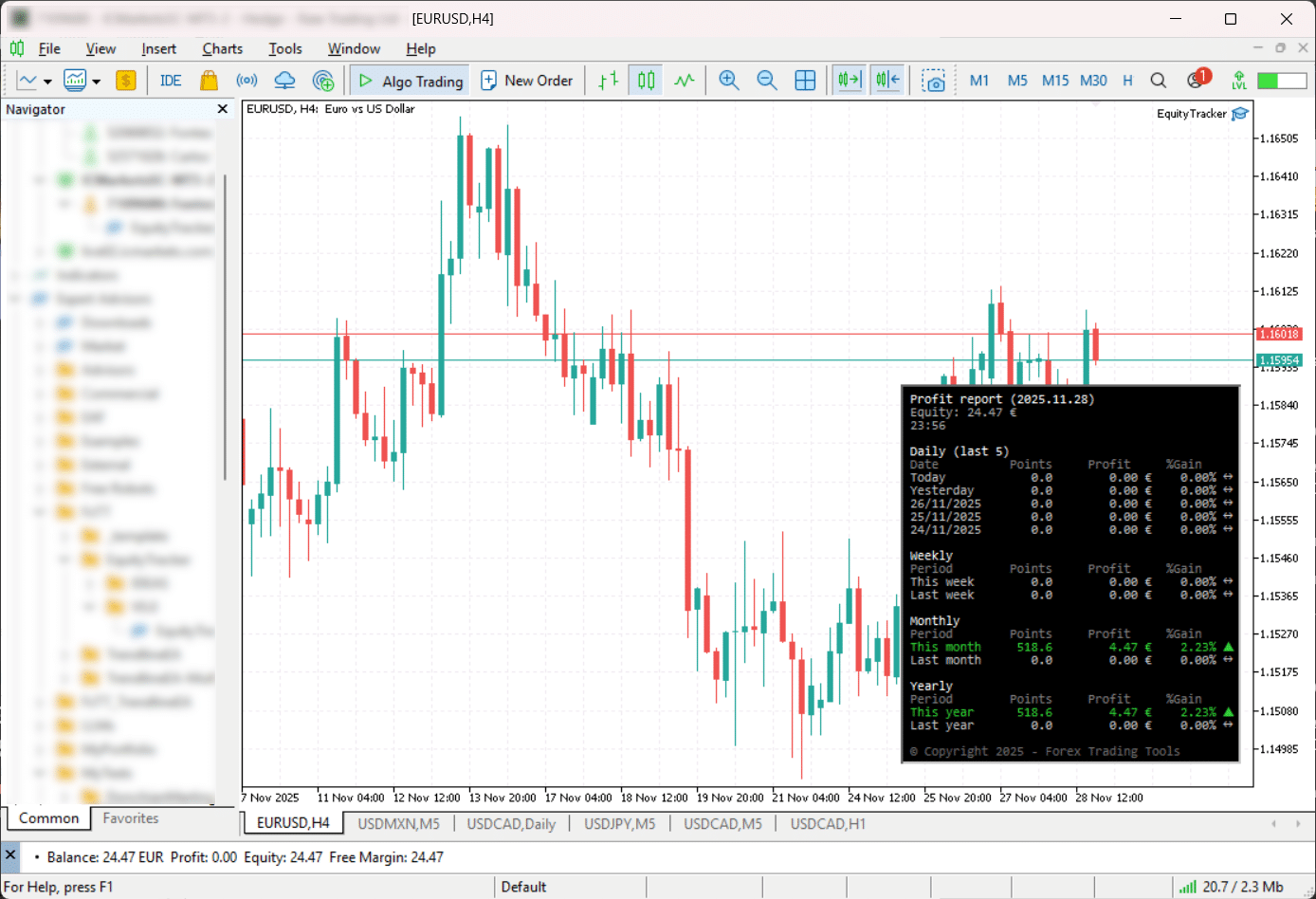
- On-Chart Overlay:View today's profit in a configurable chart corner — no need to open account statements or log into the VPS.
Built for Every Type of Trader
Prop Firm Traders
Automated drawdown, profit target, and risk monitoring running 24/7 on your VPS — know the moment rules are at risk.
EA & Algo Developers
Monitor live and test accounts with detailed trade alerts, screenshots, and diagnostic logs across all your strategies.
Discretionary Traders
Stay informed from your phone without being glued to your screen. Get alerts for every trade event that matters.
Portfolio Managers
Use scheduled reports and uptime checks across multiple strategies and accounts from one EA attachment.
Key Features
Trade Notifications
Instant alerts for trade opens, closes, and SL/TP modifications — with optional chart screenshots.
Drawdown Alerts
Custom equity-drop percentage threshold with advance warning before daily loss limits are breached.
Margin Warnings
Alert when free margin approaches critical levels, before a margin call becomes a problem.
Heartbeat Monitor
Periodic 'I'm Alive' messages confirm your VPS is online. Silence means something is wrong.
External Uptime Ping
Optional ping to external uptime monitors (e.g. UptimeRobot) on each heartbeat interval.
Profit Reports
Scheduled hourly, daily, or weekly P&L summaries sent to Telegram or Discord automatically.
On-Chart Overlay
Today's profit displayed in a configurable chart corner — no need to open account statements.
Manual Commands
Telegram inline buttons to pull live profit reports, account status, and open positions on demand.
Write a Review
Sign in to receive a Verified Purchase badge if you own this product.
Frequently Asked Questions
- No. Equity Tracker MT5 never opens, closes, or manages trades. It is a pure monitoring tool that reads your account data and sends notifications. This makes it completely safe to use on any account, including prop firm challenges.
- Yes. It monitors the entire trading account regardless of symbol, timeframe, or which Expert Advisors you are running. Manual trades and automated trades are both included in alerts and reports.
- A VPS is not required, but it is highly recommended if you want 24/7 monitoring and alerts. When running on a VPS, the heartbeat monitor helps you detect freezes or crashes immediately.
- No. Equity Tracker MT5 is extremely lightweight and designed to run quietly in the background without affecting MT5 performance. Optional chart screenshot features can be disabled on lower-spec machines.
- Yes. Alerts can be sent to Telegram, Discord, or both simultaneously. Configure your Telegram bot token and chat ID alongside your Discord webhook URL in the EA input settings.
- Yes. Because the EA never places, modifies, or closes trades, it is fully compatible with prop firm challenge and funded accounts. Always verify with your specific prop firm if unsure, but as a read-only monitoring tool it poses no risk.
Setup Guide
Attach to any chart
Attach Equity Tracker MT5 to any chart you already have open. The symbol and timeframe do not matter — it monitors the whole account. Before pressing OK, open the Inputs tab and adjust your preferences.Allow WebRequest in MT5 (required)
MT5 blocks external HTTP requests by default. Go to Tools → Options → Expert Advisors. Tick 'Allow WebRequest for listed URL'. Add https://api.telegram.org and https://discord.com (one per line). Click OK.Telegram setup
In Telegram, search for @BotFather. Send /newbot and follow instructions to create a new bot. Copy the Bot Token. Open your new bot and send it any message. Visit https://api.telegram.org/bot/getUpdates to find your chat ID. In MT5 EA inputs: paste Bot Token, paste Chat/Channel ID, set Enable Telegram notifications to true. Discord setup
Open your Discord server and select the channel for alerts. Click the gear icon → Integrations → Webhooks. Create a new webhook and copy the Webhook URL. In MT5 EA inputs: paste the URL into 'Webhook URL for the target channel', set Enable Discord notifications to true.Configure thresholds and reports
Set drawdown threshold (default 10%), profit target percentage, margin level limit, and heartbeat interval in the EA inputs. Configure scheduled profit report frequency (disabled, hourly, daily, or weekly) and the send times using HH:MM semicolon-separated values.
Changelog
- *Fixed**
- Fixed Profit Report past-period rows so yesterday, older daily rows, last week, last month, and last year use only closed trades in their own period
- Made past-period Points stable by calculating them from historical open/close deal prices instead of live symbol tick value
- *Added**
- 7-day P/L chart section to the on-chart Profit Report table
- Equity Curve subwindow indicator
- *Added**
- Added Magic Number Filter: track only trades from specific EAs by magic number
- *Added**
- Added Symbol Filter: track only selected symbols across notifications and reports
- *Added / Changed**
- Added Chart appearance options
- Improved formatting for 'Profit Report' on Telegram mobile
- Added new option 'Wait N seconds before sending; merge opens during this window'
- *Added**
- Added Symbol Breakdown report
- Aggregates open positions by symbol (lots, P&L, % gain, buy/sell counts)
- Added Symbol Breakdown button to Telegram reports alongside Profit, Account, Positions
- *Fixed**
- Closed-trade notifications now show correct profit, swap, and commission
- Pip distance on exit messages now uses the correct instrument pip size
- Empty notifications no longer sent for unsupported event types
- Heartbeat request timeout raised from 500 ms to 5,000 ms
- *Changed**
- Improved formatting for Telegram on mobile devices
- *Added**
- Added Screenshot Settings: width and height in pixels
- *Changed**
- Send screenshot of open charts instead of always creating a new one
- *Changed**
- Stability improvements
- Improved formatting for Account Report
Get Telegram alerts for your MT5 accounts — set up in minutes.
Get Started Equity TrackerTrading tools are analysis and execution aids. They do not guarantee profits. Always test with appropriate risk controls before live trading.