
Forex Scanner MT4
Free Multi-Purpose Scanner
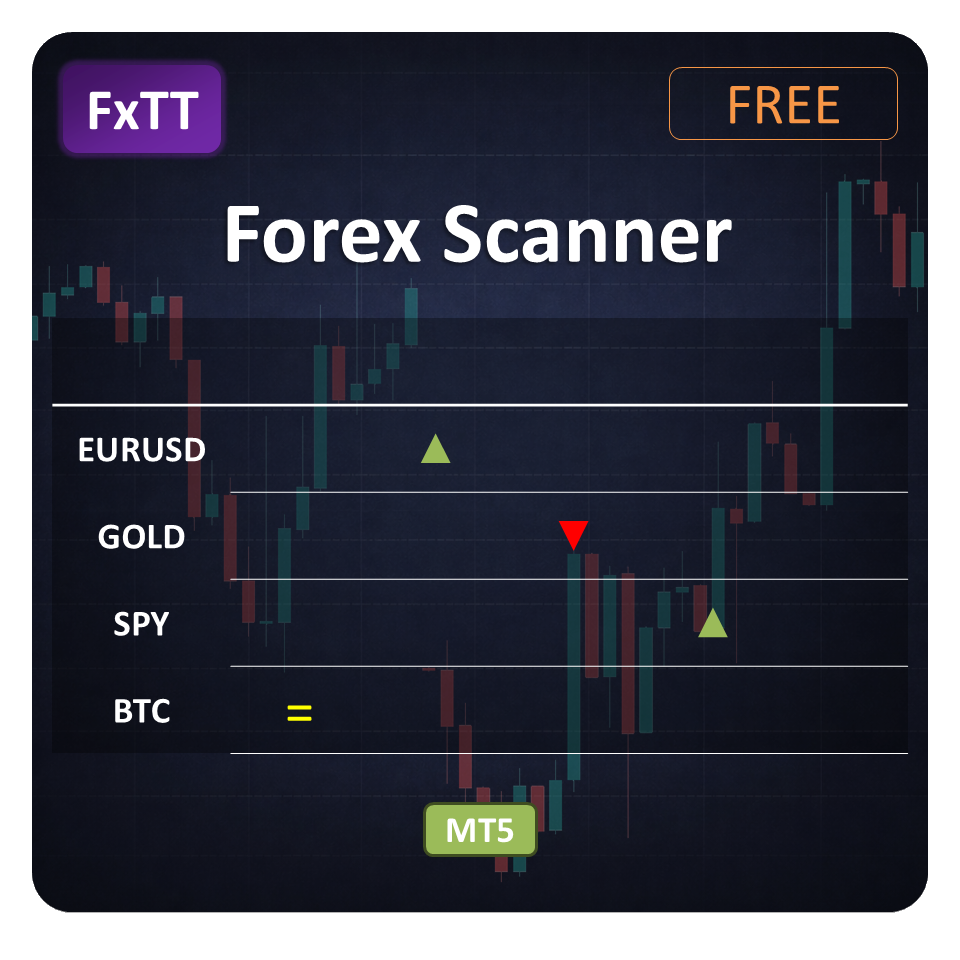
The Multi-purpose Forex Scanner indicator is a MT4 indicator that I developed because I wanted to save time finding good pairs to trade. Instead of having to analyze each pair individually, you can see at a glance what are the most promising pairs according to your own criteria.
Free Download
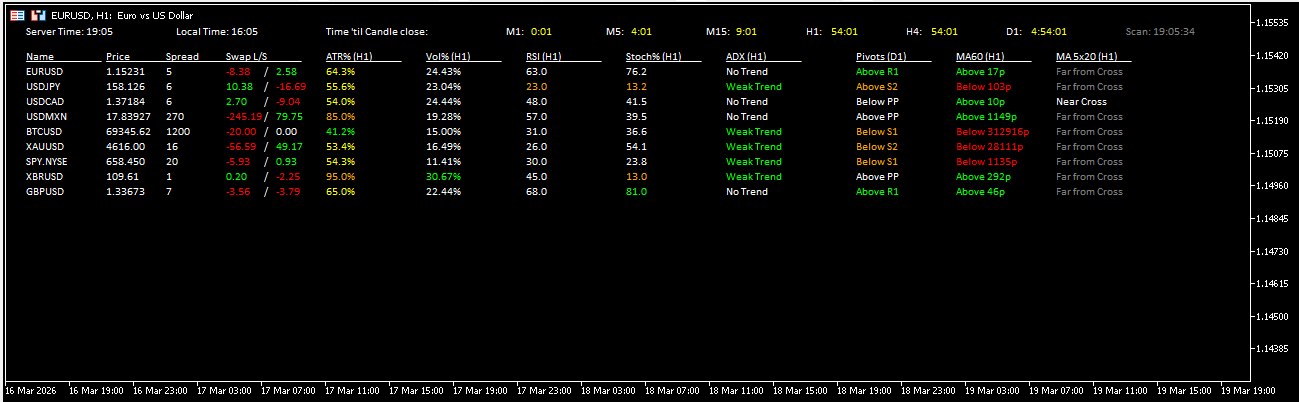
The Multi-purpose Forex Scanner is a free MT4 indicator that shows your watched pairs on one chart. Set your criteria, then compare pairs without opening a separate chart.
The scanner displays a customizable dashboard directly on your MT4 chart, showing multiple technical metrics — price, spread, ATR, volume, RSI, Stochastic, ADX, and pivot levels — across all the symbols you want to monitor.
Every column is optional and independently configurable. You choose which indicators to show, which timeframe each one uses, and what period to apply. The result is a compact, real-time overview tailored to your trading style.
The indicator is fully open source. You can inspect, modify, and extend the code freely via the GitHub repository at github.com/ForexTradingTools/fxtt-mt4-forex-scanner.
Key Features
- Multi-pair scanningMonitor all your watched currency pairs from a single chart without switching windows.
- RSI column with overbought/oversold alertsDisplays the RSI value per pair on your chosen timeframe and highlights overbought (green) and oversold (red) conditions at a glance.
- ATR percentage columnShows the current bar size as a percentage of ATR. Use it to gauge volatility and filter quiet pairs.
- Volume strength columnCompares the current bar's tick volume against the average of recent bars so you can spot surges in market activity.
- Stochastic column with levelsDisplays the Stochastic value with configurable upper/lower levels to quickly identify potential reversal zones across pairs.
- ADX trend strength columnInterprets ADX readings against the standard 25, 50, and 75 levels so you can distinguish trending from ranging markets at a glance.
- Pivot level proximityShows price relative to the nearest daily pivot. Use it to plan entries and exits around that level.
- Fully configurable displayEvery column can be shown or hidden independently. Font, font size, and update interval are all adjustable to suit your screen and workflow.
- Free and open sourceNo purchase required. The full MQL4 source code is available on GitHub so you can audit, modify, or build on top of it.
Write a Review
Frequently Asked Questions
- Yes. The Forex Scanner is user-friendly and easy to customize, making it suitable for traders of all skill levels.
- No. The Forex Scanner is designed specifically for use with the MT4 trading platform.
- No separate manual is provided. The product page you are reading now serves as the full documentation.
- Yes. Every column (Price, Spread, ATR, Volume, RSI, Stochastic, ADX, Pivots) can be individually shown or hidden, and each has its own timeframe, period, and level settings.
Setup Guide
Download the ZIP
Click the Download button on this page to get FXTT_Fx_Scanner.zip.Open the MT4 data folder
In MT4, go to File → Open Data Folder. Navigate to MQL4 → Indicators.Copy the indicator file
Extract the ZIP and copy FXTT_Fx_Scanner.ex4 (and/or .mq4) into the Indicators folder.Restart MT4 or refresh the Navigator
Close and reopen MT4, or right-click the Navigator panel and choose Refresh. The indicator will appear under Custom Indicators.Attach to a chart
Drag the indicator onto any chart. A settings dialog will open where you can enable or disable each column and configure timeframes, periods, and levels.Configure your columns
Toggle Show Price, Show Spread, Show ATR, Show Volume, Show RSI, Show Stochastic, Show ADX, and Show Pivots to match your workflow. Adjust the update interval if you notice performance impact.
More Free Tools
Free Download
Free tools are analysis aids and utilities. They do not guarantee trading results. Always test in a demo account before applying to live markets.