
MTF Bollinger Bands MT5
Multi-Timeframe Bollinger Band Panel
Download the MTF Bollinger Bands indicator for MT5 free and view up to 9 Bollinger Band timeframes on one MetaTrader 5 chart. Instantly toggle each timeframe from a draggable panel to analyse volatility, Bollinger Band squeezes, confluence zones, and dynamic support and resistance — without switching charts.
Free Download
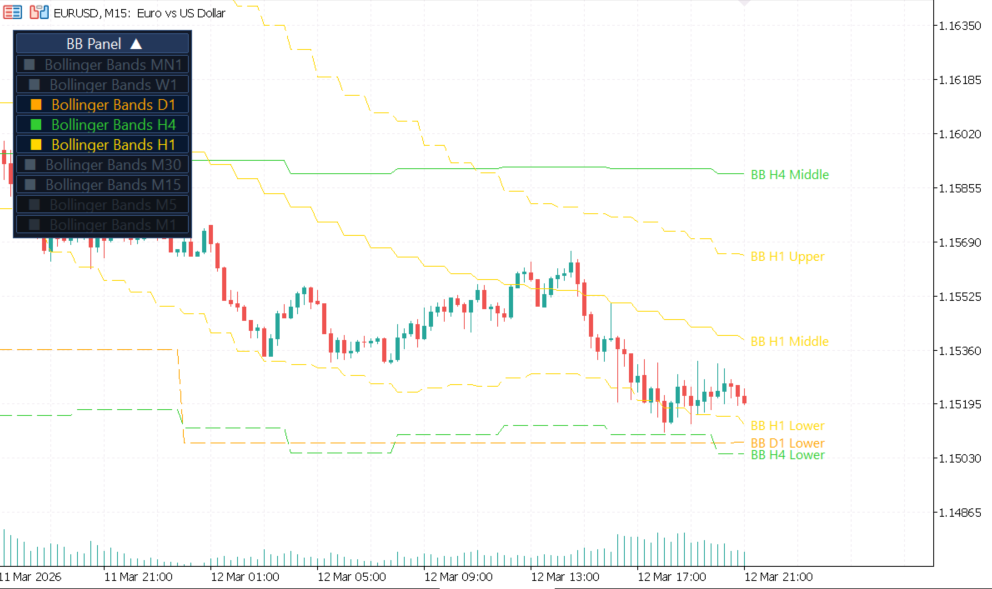
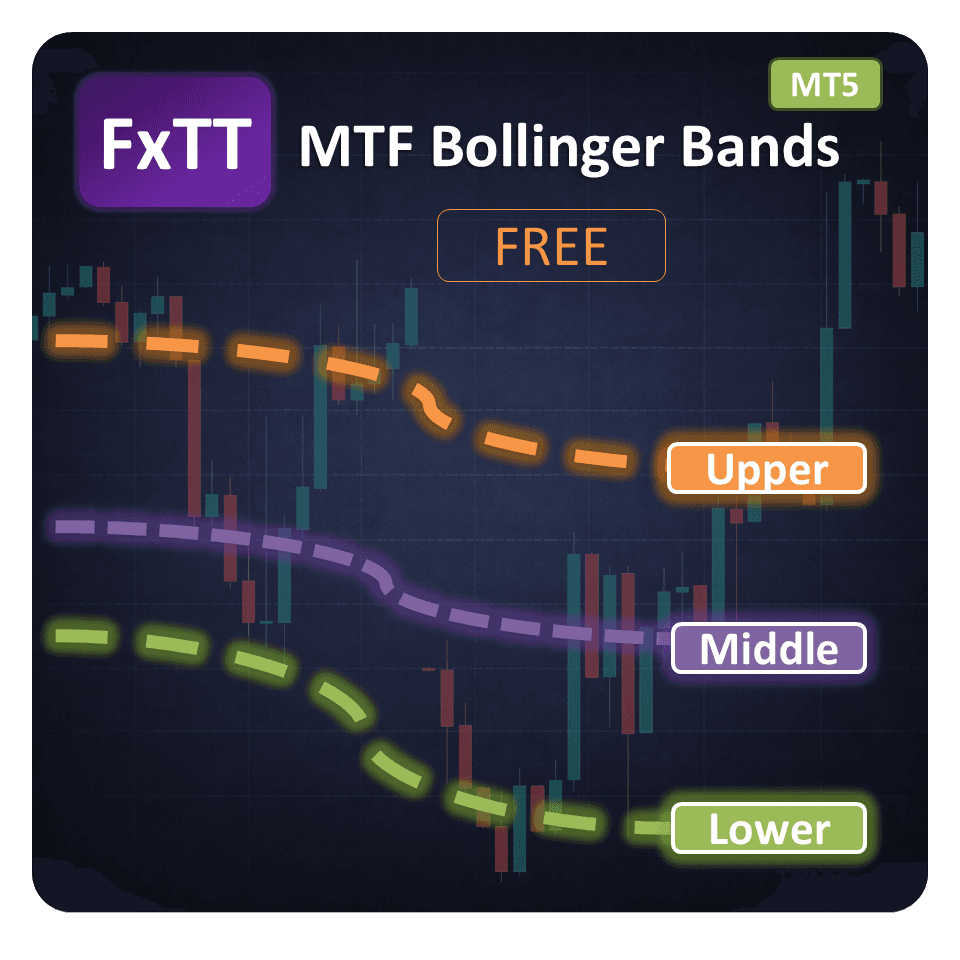
MTF Bollinger Bands MT5 is a free multi-timeframe Bollinger Bands indicator for MetaTrader 5 that displays Bollinger Bands from up to nine timeframes simultaneously on a single chart. Instead of switching between charts to check higher-timeframe volatility and structure, you keep the full market context visible on your execution chart and toggle each timeframe instantly from a draggable control panel.
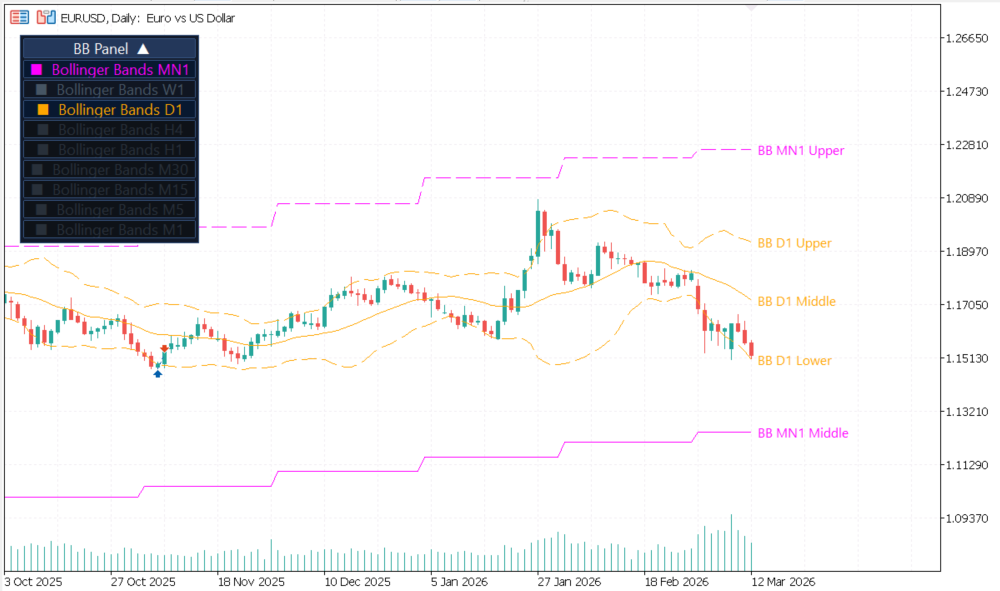
The indicator calculates Bollinger Bands independently for each supported timeframe and projects them onto your active chart. Each timeframe uses a unique color so you can instantly distinguish monthly, weekly, daily, and intraday Bollinger Bands without changing charts. This makes it easier to see where price is trading relative to higher-timeframe bands, which helps with timing entries, exits, stop placement, and volatility-based trade management.
Traders use it to spot Bollinger Band squeezes across multiple timeframes, confirm breakouts with higher-timeframe band width expansion, and identify when price is approaching a key multi-timeframe band level. The indicator supports all standard MetaTrader 5 timeframes from MN1 down to M1, and timeframes below the current chart timeframe are automatically disabled to keep the display relevant.
Compatible with forex pairs, gold, indices, crypto CFDs, and any other symbol available in your MT5 terminal. It runs on a VPS and does not interfere with Expert Advisors operating on the same or different charts.
Key Features
- Nine timeframes on one chartVisualize Bollinger Bands from MN1, W1, D1, H4, H1, M30, M15, M5, and M1 simultaneously for complete multi-timeframe analysis.
- Color-coded bandsEach timeframe uses a distinct color so you can instantly identify which band belongs to which timeframe without guesswork.
- Right-side price labelsRead the upper, middle, and lower Bollinger Band values for each active timeframe directly on the chart edge.
- Draggable control panelMove the panel anywhere on the chart and collapse it when you need more screen space during live trading.
- One-click timeframe togglesShow or hide any individual timeframe instantly from the on-chart panel without reopening the indicator settings.
- No repaintingCompleted band values are fixed and never change retroactively. Closed-bar Bollinger Band levels remain stable.
- Automatic timeframe filteringTimeframes lower than the current chart period are disabled automatically to reduce visual noise and keep the display relevant.
- Session memoryPanel position and timeframe visibility settings are saved and restored automatically when the chart reloads.
Screenshots
Write a Review
Frequently Asked Questions
- It draws Bollinger Bands from multiple timeframes on a single chart, so you can see higher-timeframe volatility structure without changing chart periods.
- Up to nine: MN1, W1, D1, H4, H1, M30, M15, M5, and M1. The panel lets you switch them on or off individually.
- Closed-bar values remain stable. The active bar can update in real time as market prices change, which is normal for Bollinger Bands.
- Yes. It works on forex pairs, indices, metals, crypto CFDs, and any other symbol your MT5 broker provides.
- The middle band is the moving average used as the Bollinger baseline. The upper and lower bands are plotted at the configured standard deviation distance from that baseline.
- Yes. The panel position is configurable through the inputs, and the indicator also remembers panel state between sessions.
- It is useful for traders who use Bollinger squeezes, band-walk conditions, mean reversion, or higher-timeframe volatility context as part of their decision-making process.
- Yes. MT4 users should use the MTF Bollinger Bands free indicator version instead. This MT5 version is designed specifically for MetaTrader 5.
Setup Guide
Download the package
Download the ZIP package from this product page using the download button.Extract the file
Extract the archive and locate the .ex5 indicator file inside.Open Data Folder
In MetaTrader 5, open File → Open Data Folder.Copy to Indicators folder
Navigate to MQL5/Indicators and copy the extracted .ex5 indicator file into that folder.Restart or refresh MT5
Restart MetaTrader 5 or right-click the Navigator panel and choose Refresh to make the indicator appear.Attach to a chart
Drag MTF Bollinger Bands MT5 from the Navigator onto any chart by double-clicking or dragging it.Configure and use
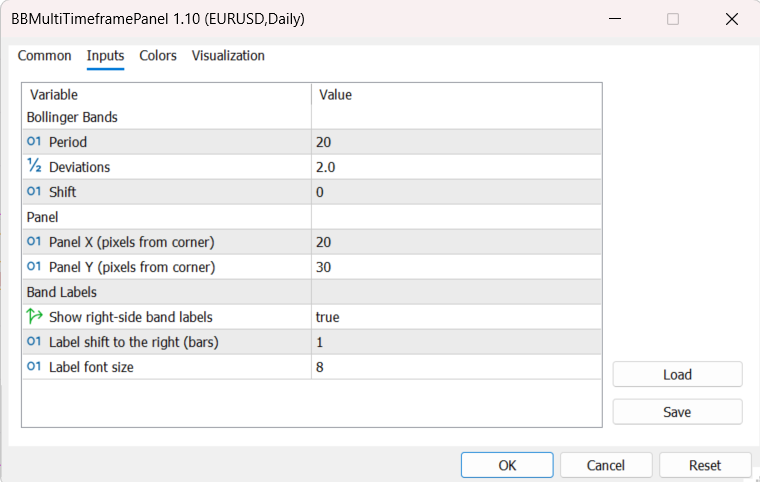
Choose the Bollinger period, deviation, panel position, and which timeframe bands you want visible. Drag the panel to your preferred position and collapse it if needed.
Changelog
- Initial public release of MTF Bollinger Bands.
- Added multi-timeframe Bollinger Bands projection from MN1 down to M1.
- Added on-chart toggle panel for fast timeframe visibility changes.
- Added upper, middle, and lower band labels with configurable font size and shift.
More Free Tools
Free Download
Free tools are analysis aids and utilities. They do not guarantee trading results. Always test in a demo account before applying to live markets.