
 Backtesting
Why a Backtested MT5 EA Fails Live
A profitable MT5 Strategy Tester result can still fail live: broker contract specs, permissions, and trade-server responses differ from the backtest.
Simple MT5 forex backtesting guide: modeling modes, 100% modeling quality, real ticks, realistic costs, forward testing, and report checks.

Backtesting is where your trading idea meets historical market data. Not live trading. Not proof. But useful enough to answer one question: If I had traded this exact plan before, would it have survived? MT5 makes forex backtesting fast. The risk: it also makes bad backtesting fast. One wrong setting can turn the same EA from solid to useless. TL;DR: To backtest forex strategy in MT5 with results you can trust, use real ticks for final validation, load enough history, include spread/commission/delay, test more than one date range, and confirm with a forward period.
 Quick map:
A useful backtest is a simulation with realistic data, account rules, costs, and execution, not just a profit number. MT5 can test Expert Advisors, run visual checks, optimize settings, and split results into backtest and forward periods.
Think of Strategy Tester as a calculator. Your settings are the inputs. Clean results do not mean true results.
Backtest trust chain
| History data | Modeling mode | Costs + delay | Forward check |
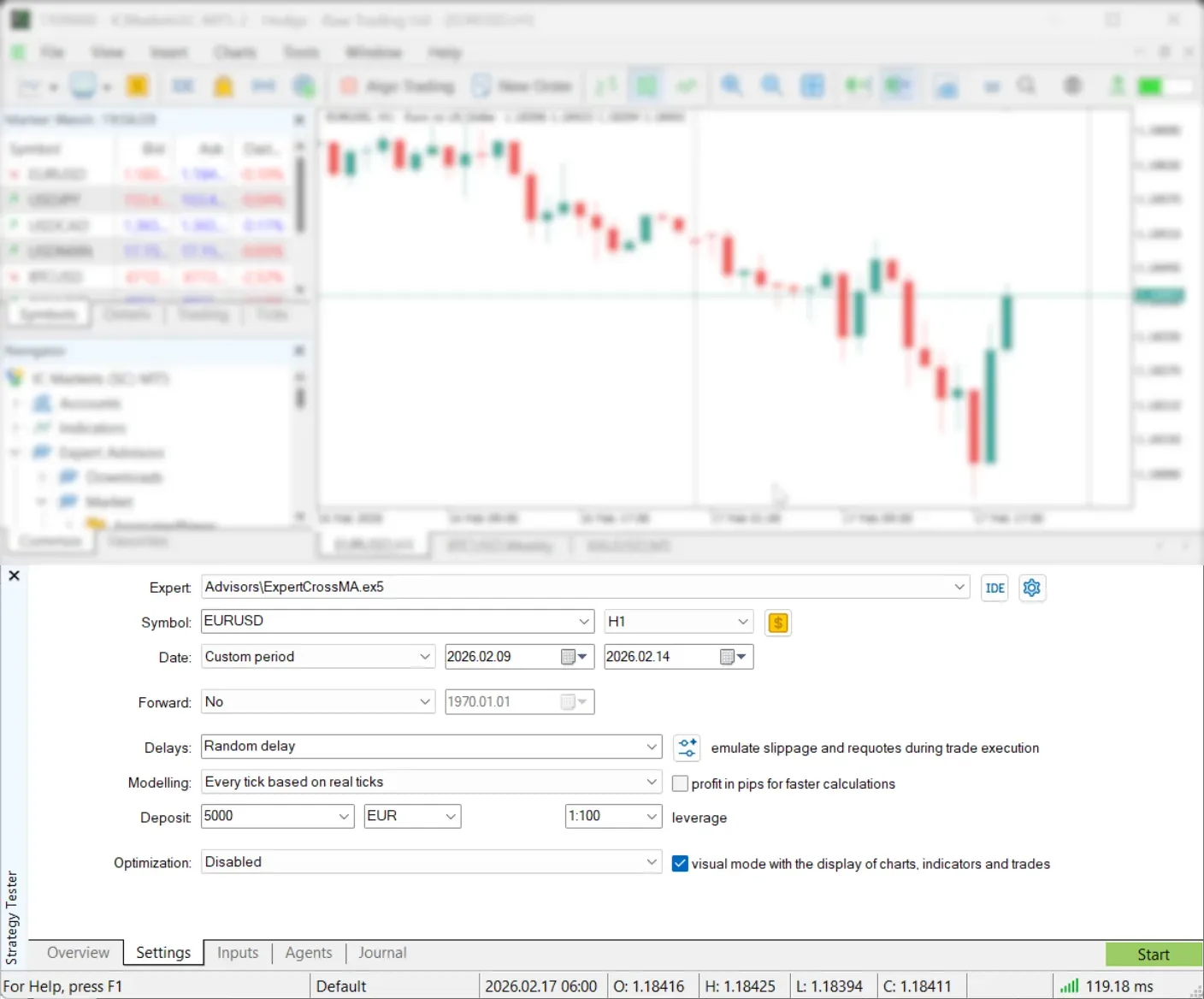
Use this short checklist before judging any EA. Confirm the EA is testable
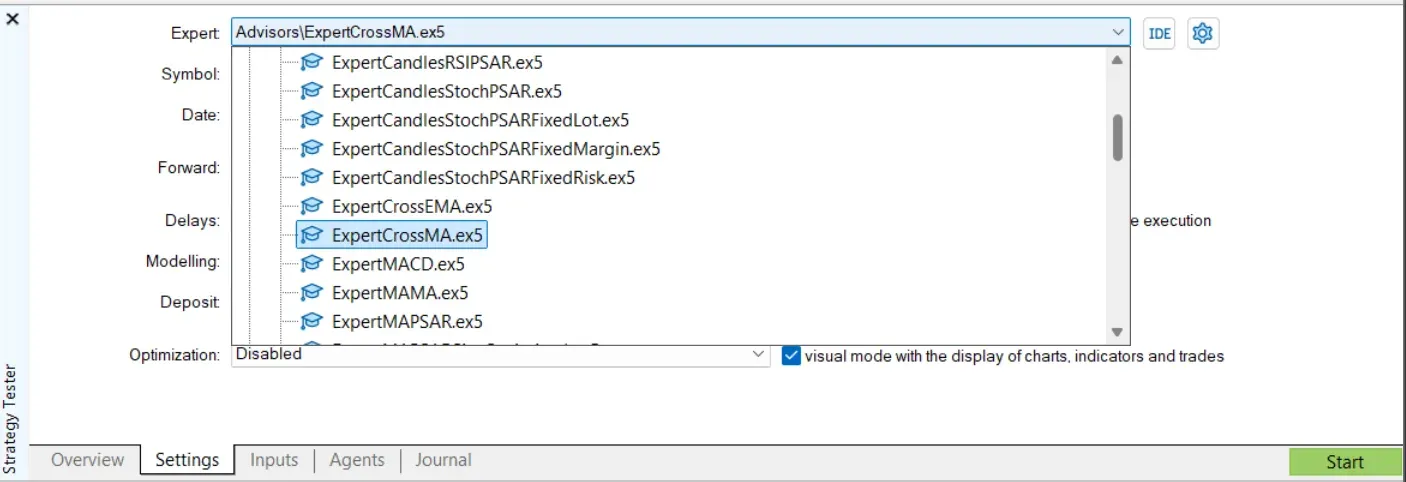 Load enough history
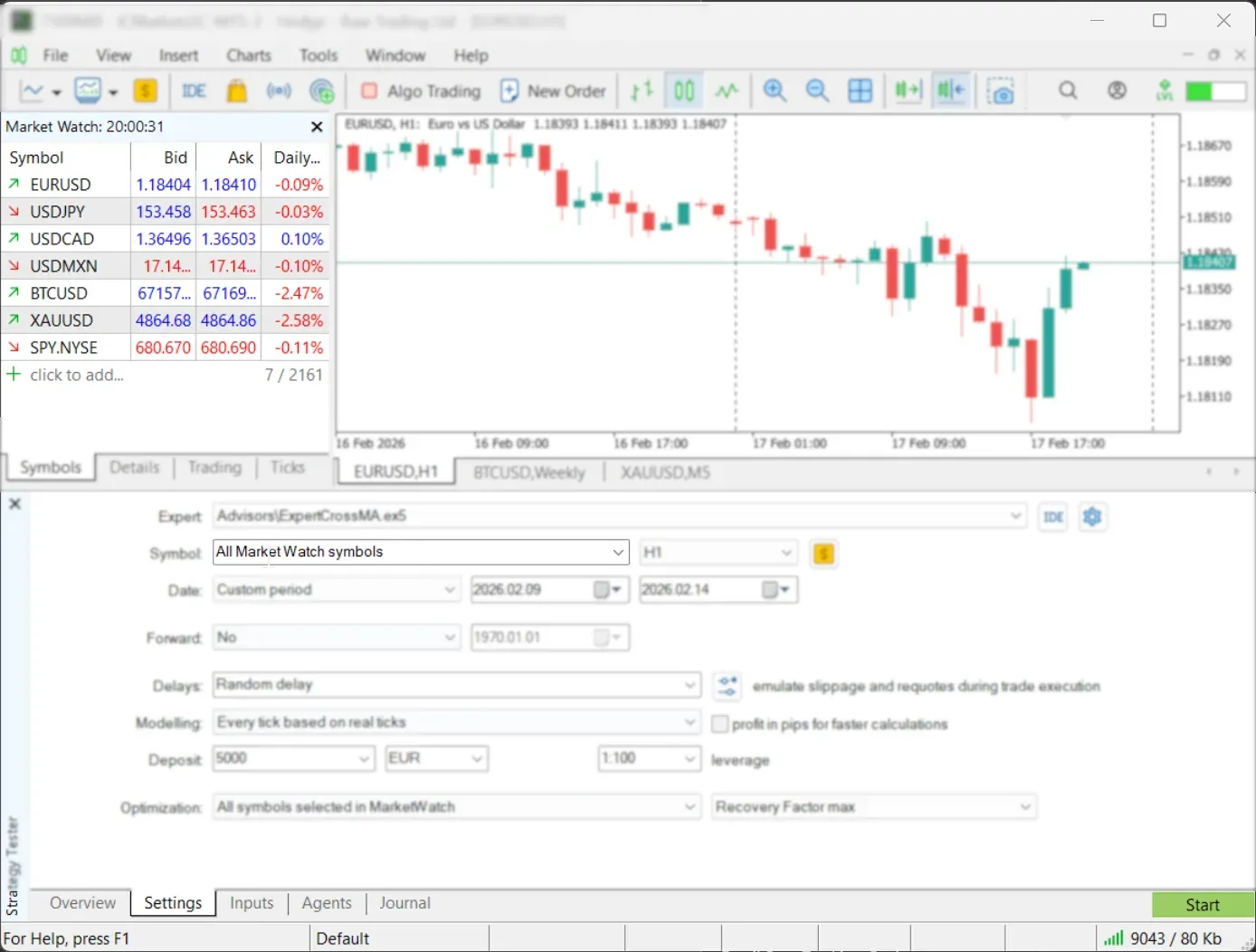 Match account rules
If your EA reacts inside a candle, use tick testing. This includes scalping, tight stops, trailing stops, stop orders, and level-touch logic.
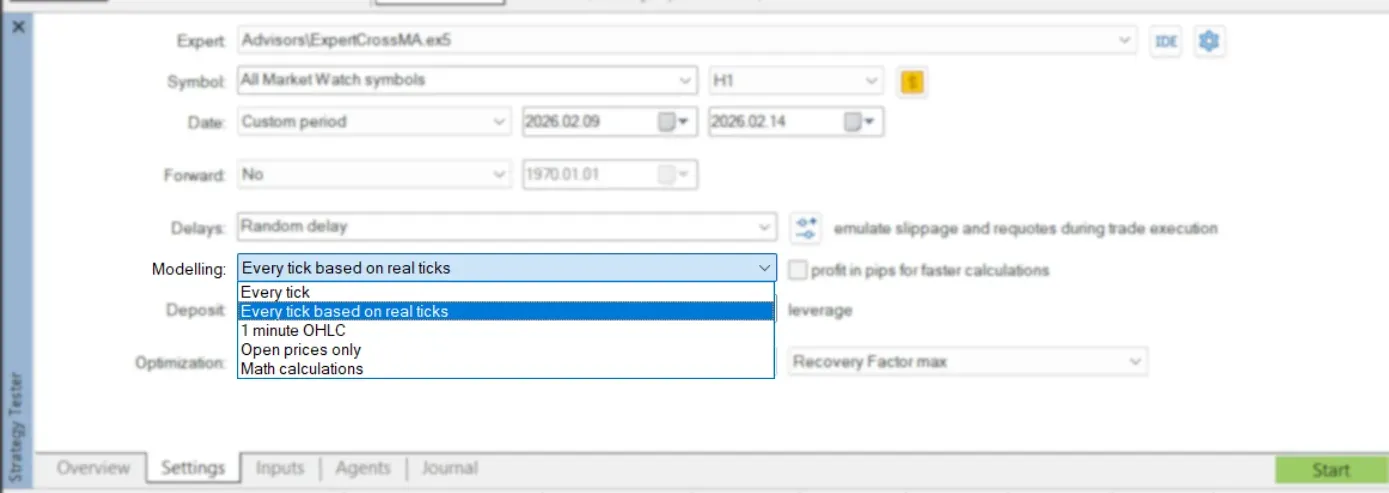
Speed vs realism
| Open prices only Fastest | 1 minute OHLC Fast screen | Every tick Generated ticks | Real ticks Final check |
Rule: use fast modes to debug. Use real ticks to judge performance.
100% modeling quality means the tester had complete, consistent history for the selected symbol and period. It does not mean the strategy will work live.
For serious MT5 tests, do not rely blindly on default broker history. Broker history can be incomplete, short, or different from the feed you want to simulate. For 99%+ or 100% quality, use high-quality real tick data with variable spread.
Best workflow
High-quality tick test flow
| 1. Download real ticks | 2. Import M1 + ticks | 3. Use real-tick mode | 4. Check report quality |
Important caveat: MT5 can also use real ticks supplied by your broker. That may be enough if the broker has complete tick history for your symbol and dates. External tick data is useful when broker history is missing, too short, or not the feed you want to test. MT4 note: MT4 usually needs tools such as Tick Data Suite or Tickstory to reach 99% modeling quality. MT5 has native real-tick and custom-symbol support, but the imported data still has to be clean.
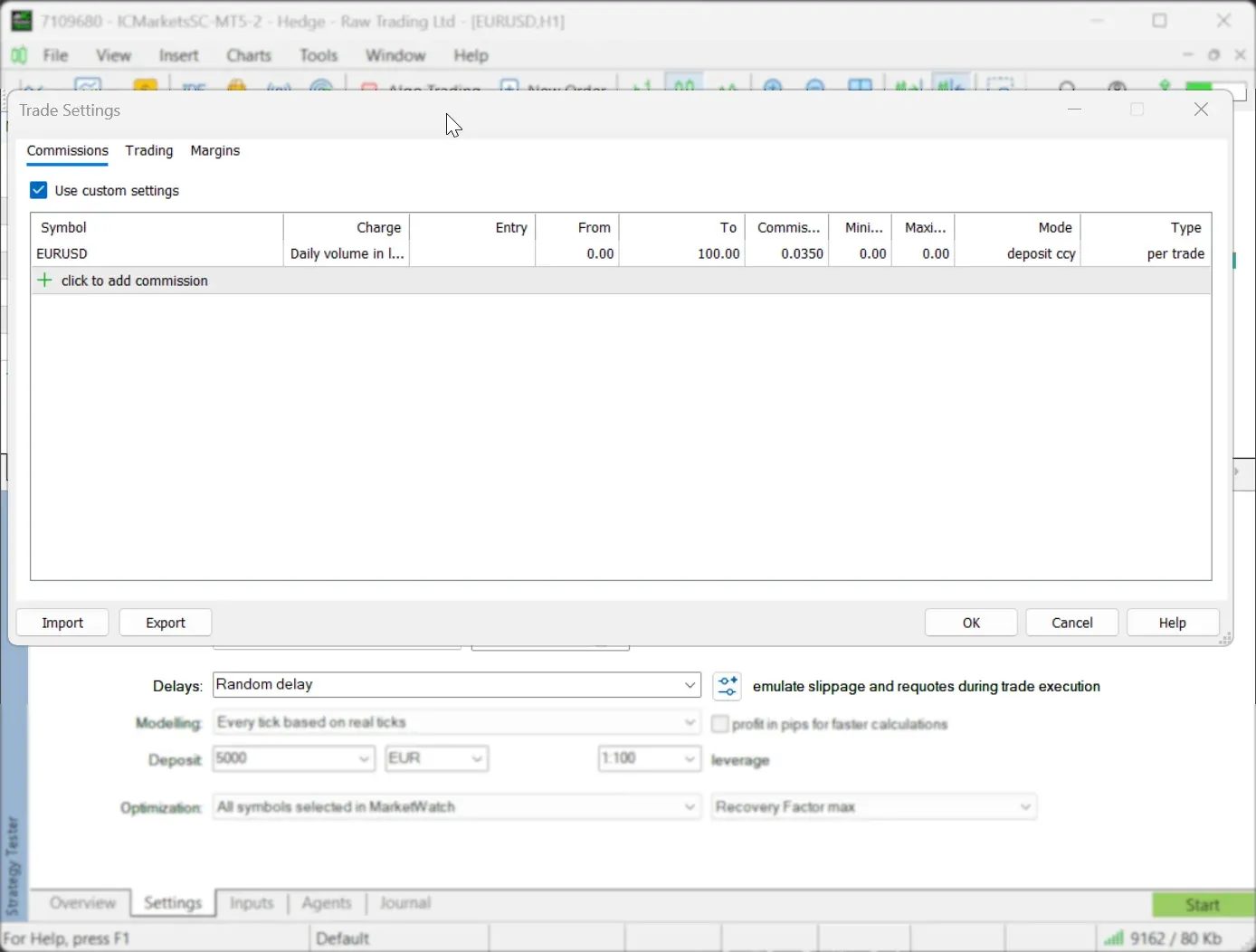 Most perfect backtests are just low-friction tests. Spread
Commission
Execution delay
Follow this order every time: fast checks first, full real-tick validation last, so slow runs only happen once logic already looks sound.
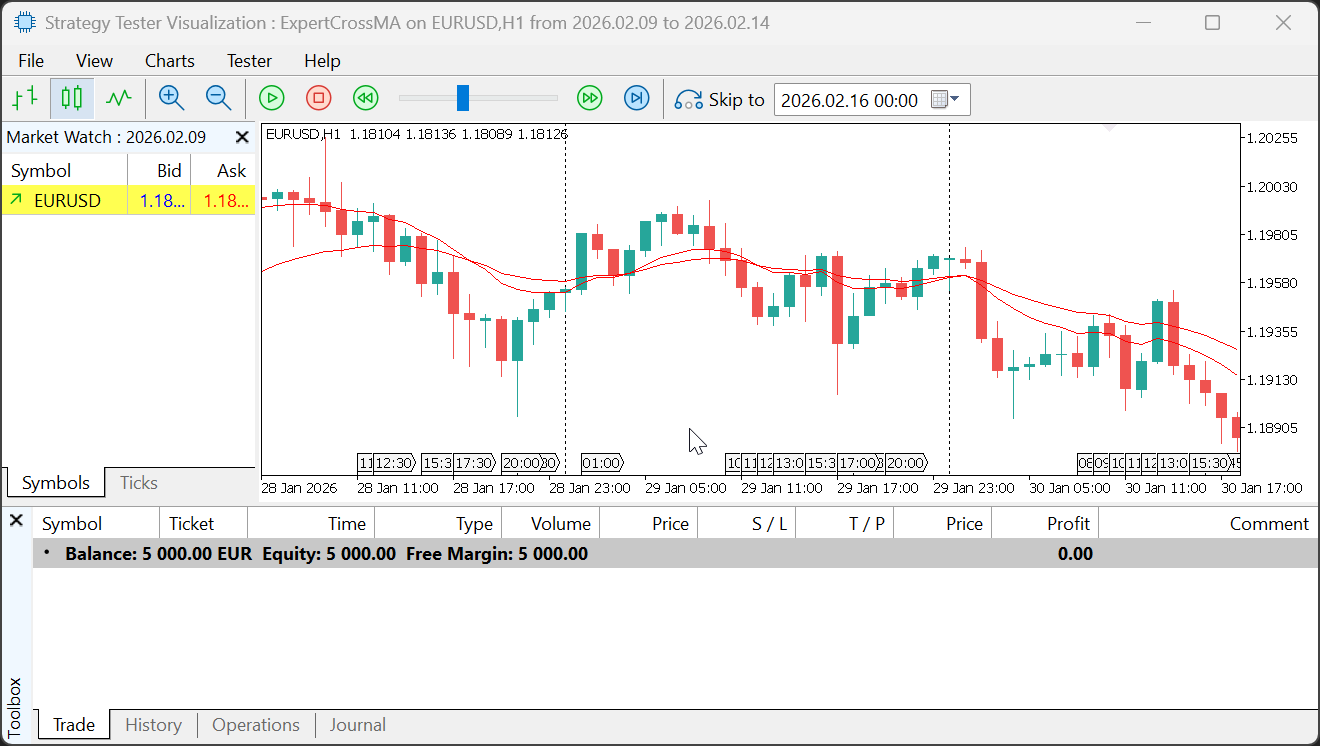 After a test, use Open Chart to see deals drawn on the chart. A saved
 tester.tpl template makes reviews faster. 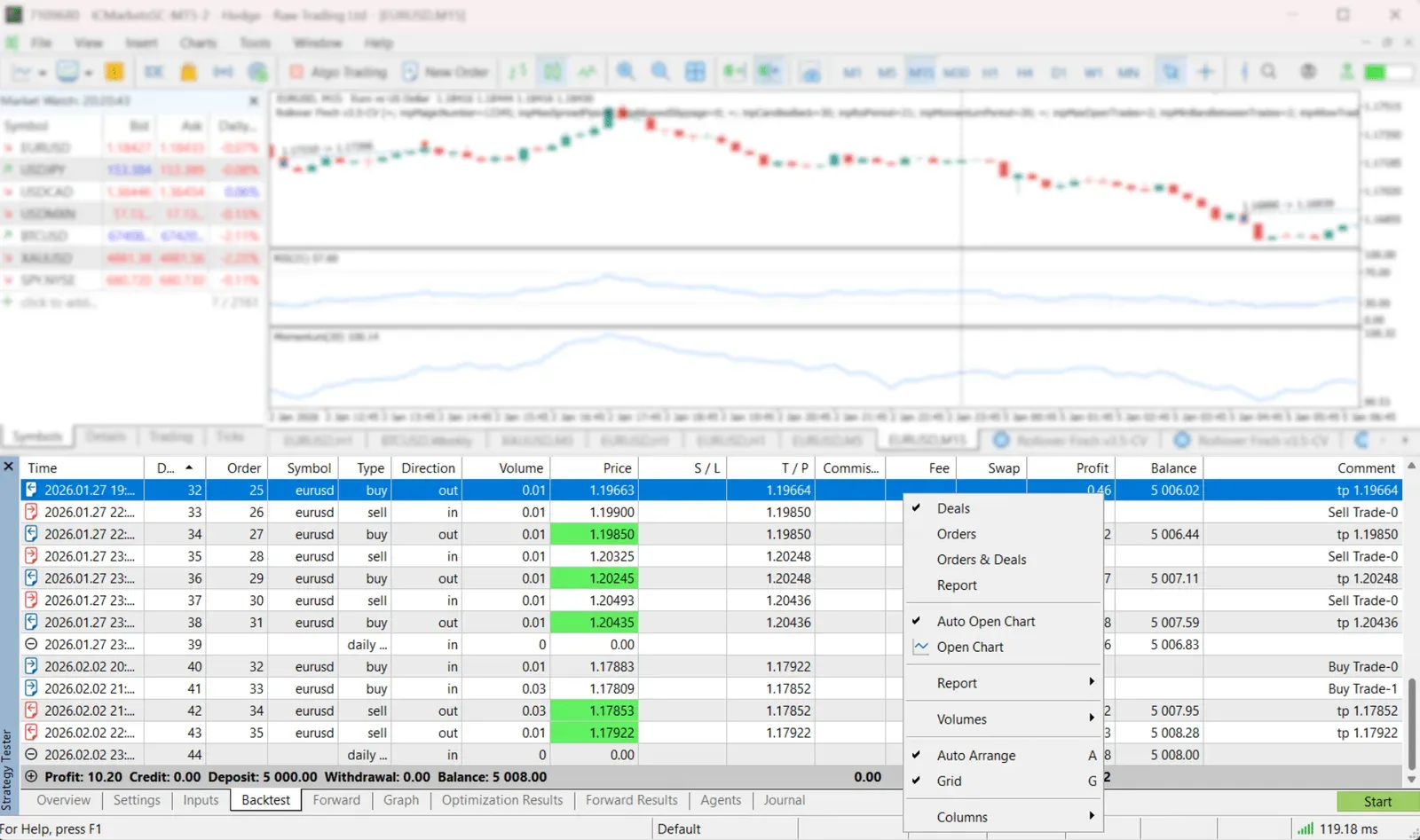
Start with the curve, not the profit.
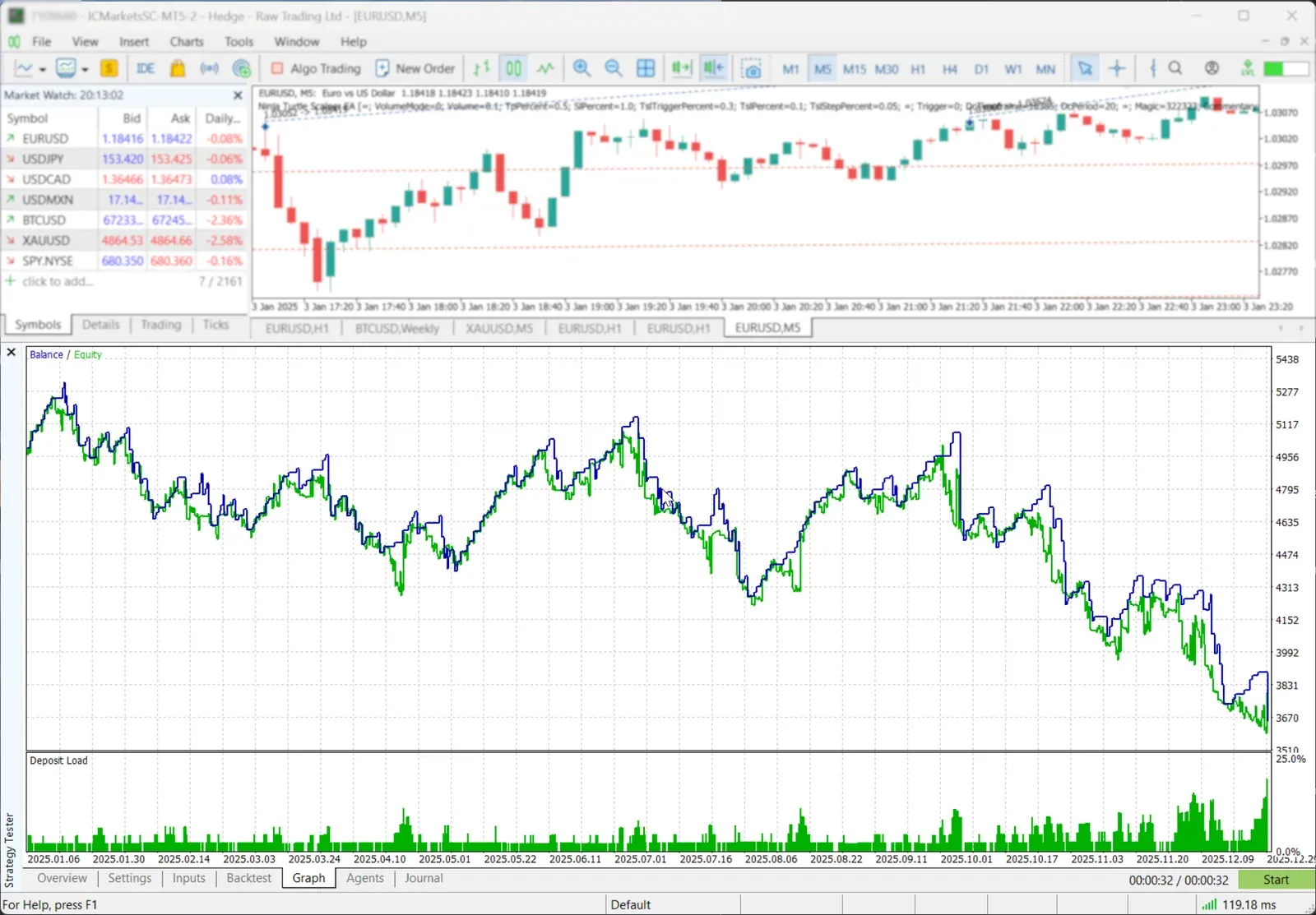 Check these first:
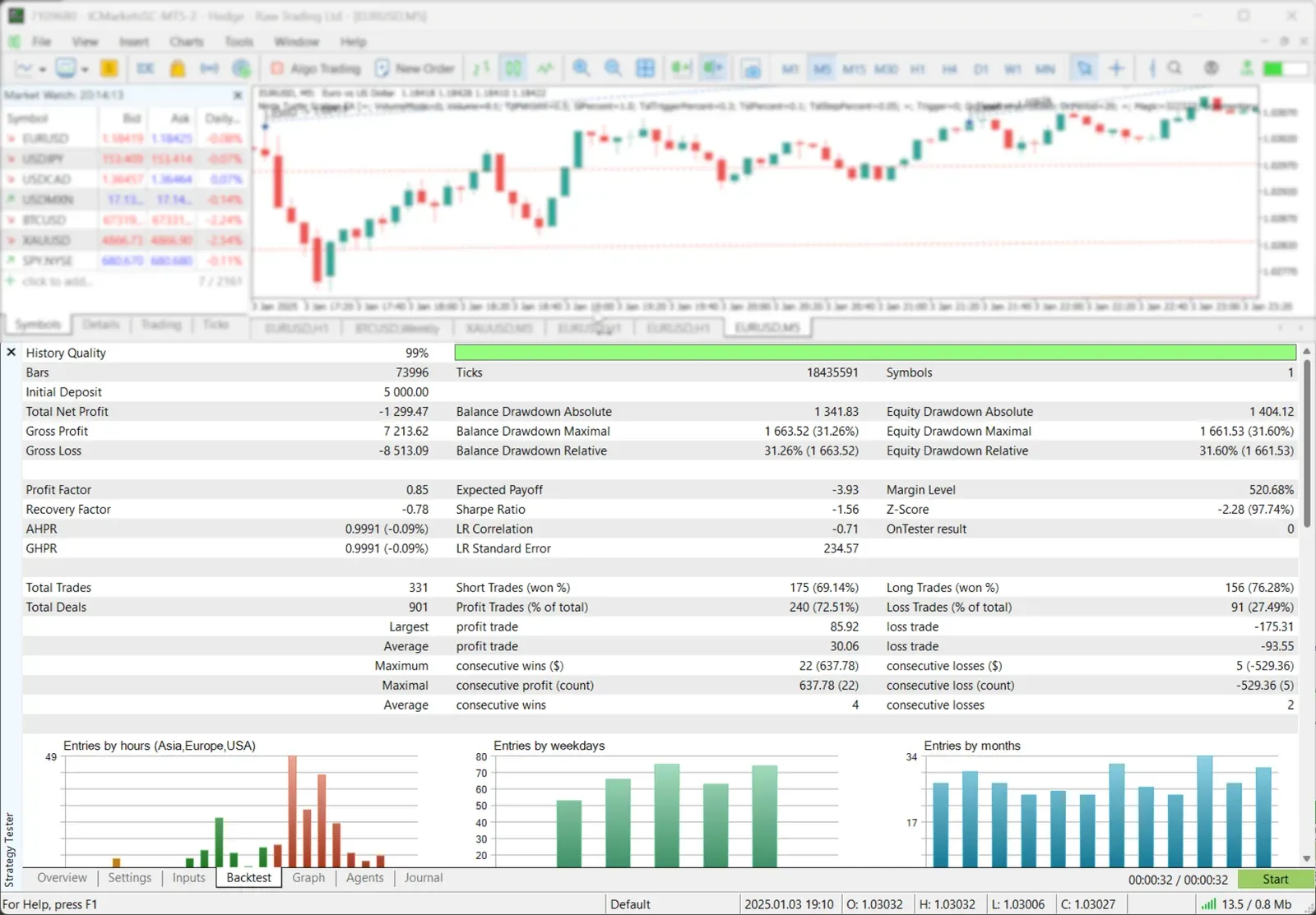 For cleaner exports, use MT4/MT5 backtest reports that are actually readable.
Optimization runs many parameter sets. That is useful. It is also how traders overfit.
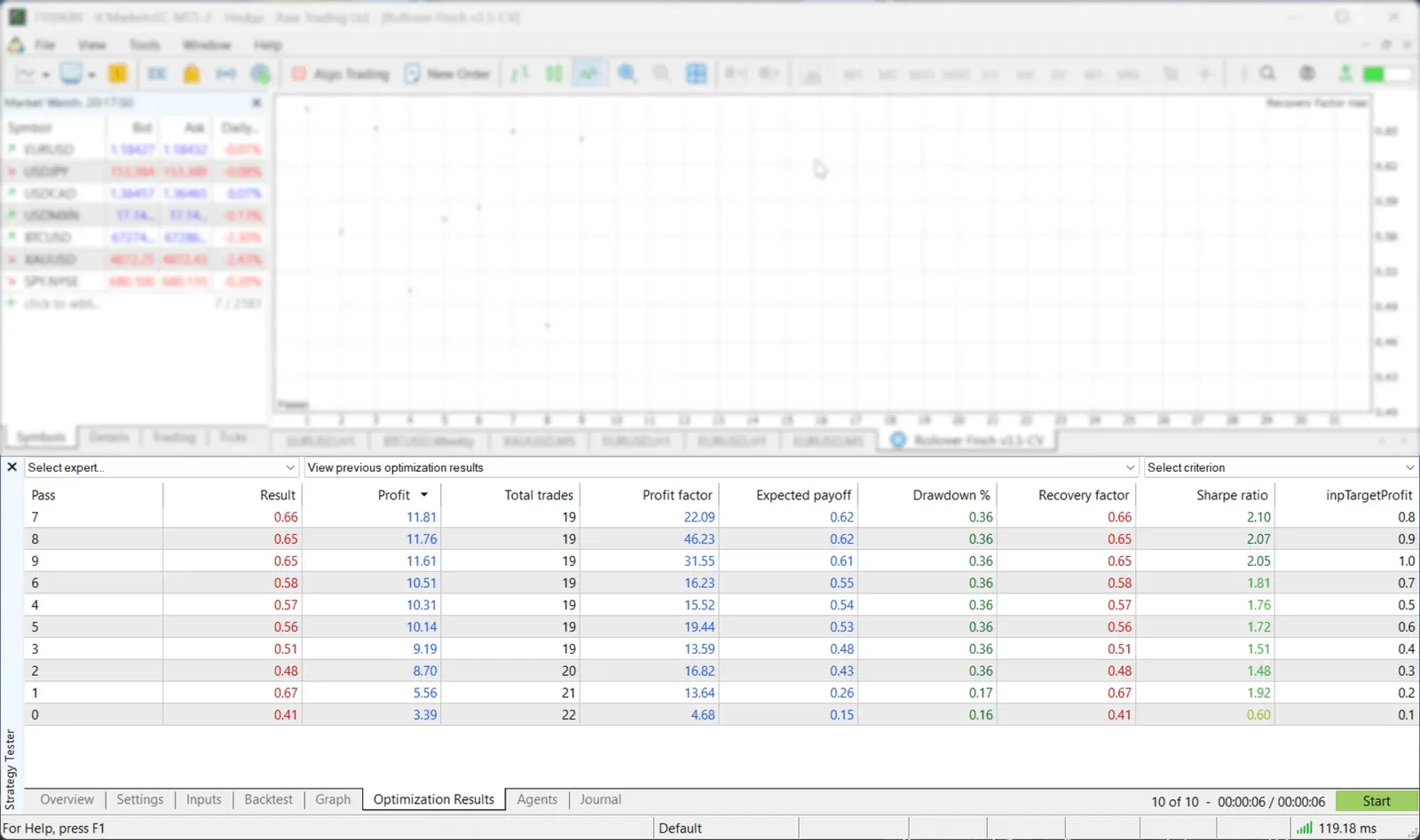 Use forward testing inside optimization. MT5 optimizes on the first period, then checks selected runs on the forward period.
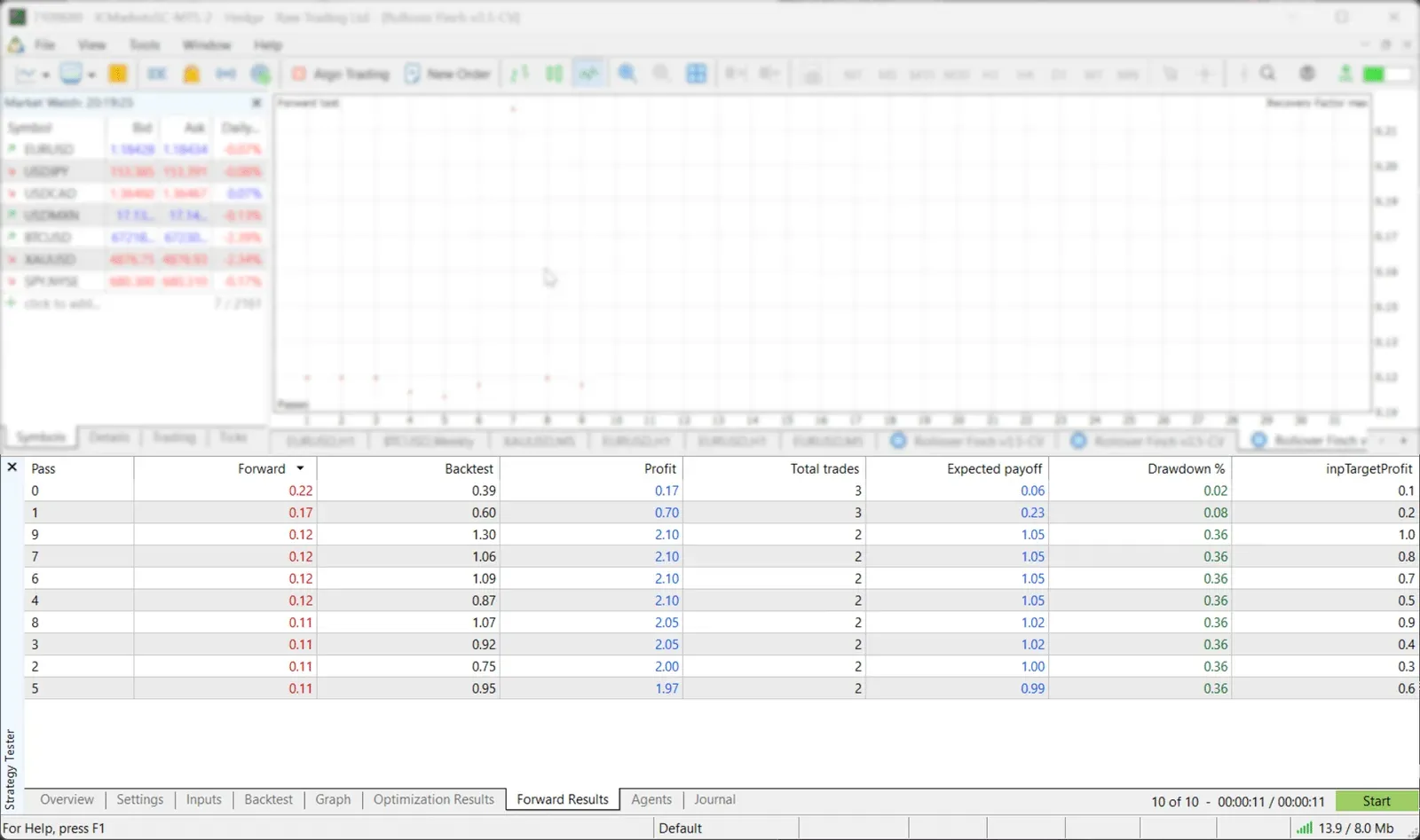 Good sign: nearby settings also work. Bad sign: one perfect setting surrounded by bad settings.
Run these five checks in order each time you test changes, moving from a fast logic check to a full real-tick validation before trusting any result.
Common mistakes
Tools that help
It means the tester had complete, consistent history for the selected symbol and period, not that the strategy will work live. Reaching it usually requires real tick data with variable spread, since default broker history can be incomplete, short, or different from the feed you want to simulate.
Use fast modes such as open prices or generated ticks to debug logic quickly. For any real performance judgment, run the final test with real ticks: generated ticks simplify price movement and can change scalping and stop-based results.
Treat a sample of around 30 trades as weak evidence. More trades give a stronger read on drawdown, profit factor, and timing patterns such as entries clustered by hour, weekday, or month.
MT5 can shift the real start date forward when older history bars are missing for the symbol. Load more history for every symbol the EA uses and confirm the actual tested range before judging results.
No. A useful backtest is a simulation with realistic data, account rules, costs, and execution, not proof. Confirm results with a forward period and realistic spread, commission, and delay before trusting them live.
These official MetaTrader and third-party tick-data docs cover the settings, tick generation, and optimization concepts referenced throughout this guide.
Final reminder: Backtesting is a filter, not a prophecy. Use it to remove weak ideas, then test survivors with real ticks, realistic costs, and forward validation.
BacktestingA profitable MT5 Strategy Tester result can still fail live: broker contract specs, permissions, and trade-server responses differ from the backtest.
 Forex Trading Strategies
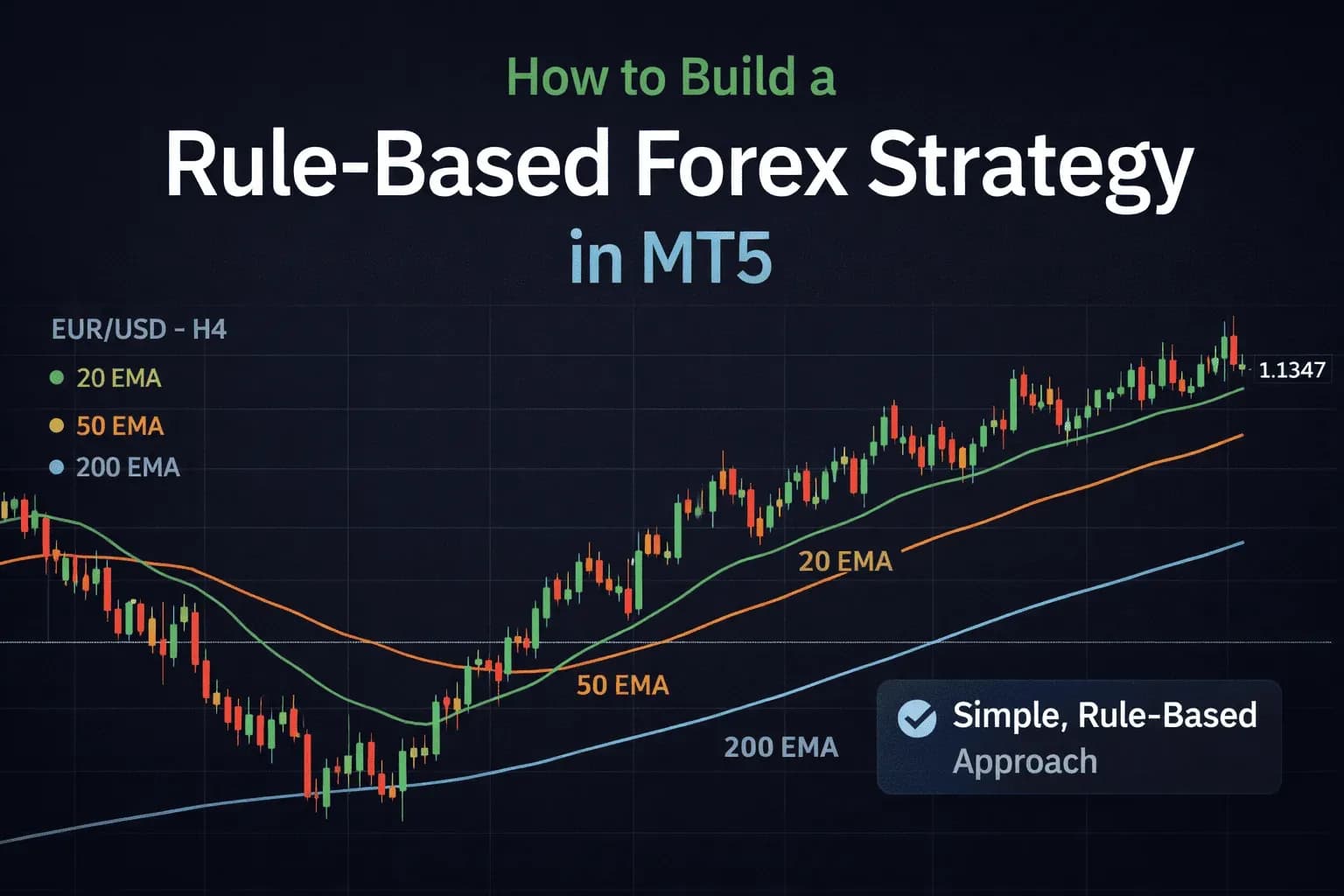
Build a rule-based forex strategy in MT5 step by step — entries, exits, risk management, backtesting and forward testing, checklist included.
 Trading Education
Forex swap is the overnight financing charge or credit on an open position. See why long and short differ, when triple swap lands, and try it yourself.